Operation
28 01.00 | FPS-F5 | Assembly and Operating Manual | en | 15959911
6.3 FPS controller program
6.3.1 Program window structure
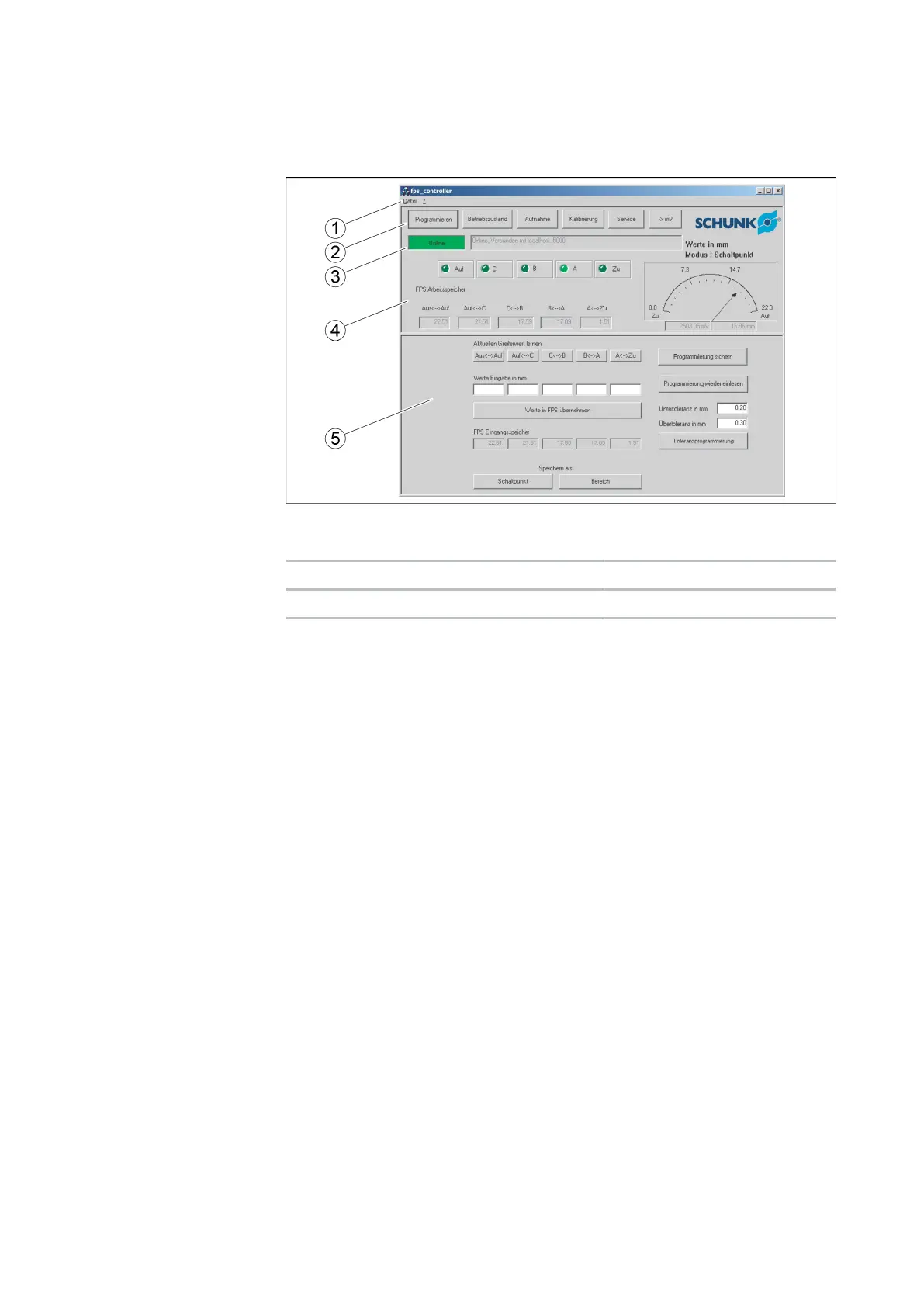
Program window
1 Menu bar 4 Display panel
2 Function bar 5 Lower half of the screen
3 Status bar
The basic structure of the program window is the same for every
function.
In the menu bar (1), the program can be closed and help can be
called up.
A function can be called up in the function bar (2).
The connection status, the type of connection and the selected
module are displayed in the status bar (3).
The display panel (4) shows the digital outputs, the current finger
position (value and pointer position) and the values of the stored
switching points.
The display of the lower half of the screen (5) depends on the
function selected.


 To Next Page