Operation
01.00 | FPS-F5 | Assembly and Operating Manual | en | 15959911 29
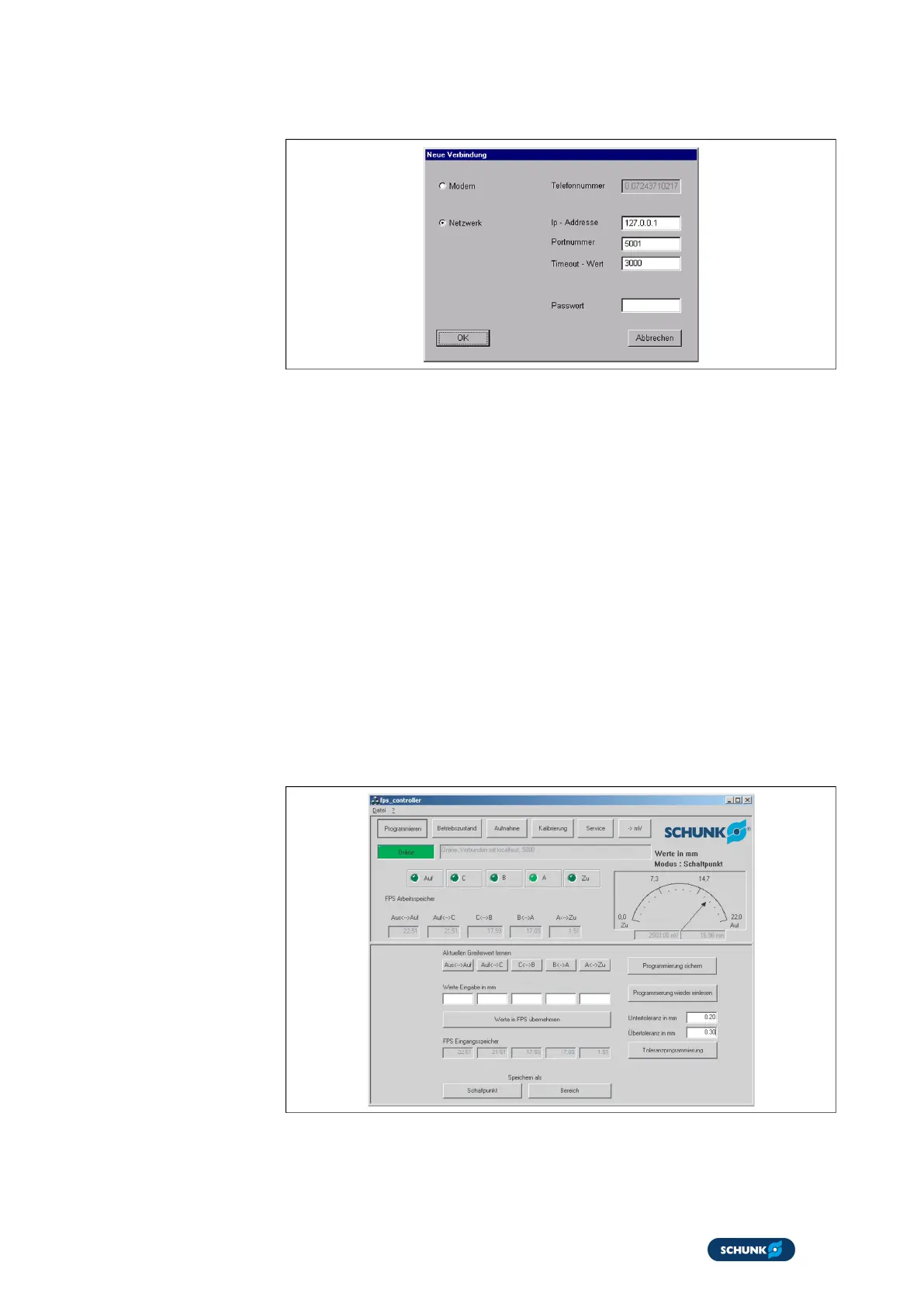
6.3.2 Login window
Login window
The login window opens automatically when the program is
started. The login window is used to select how the computer is
connected to the electronic processor.
If the Password request at program start variable is set in the
initialization file of the FPS controller program, the password
entered in the initialization file must be entered.
The following connection options can be selected:
l
Modem and telephone number
l
Internet with internet address of the computer
– Here, select Network, enter the IP address 127.0.0.1 and
the port number of the electronic processor.
l
Direct connection to the computer's Com port
– Here, select Network and enter the IP address 127.0.0.1.
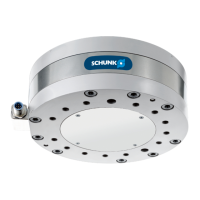
6.3.3 Programming function
Programming function
This function is used to enter and save the switching points for
the electronic processor FPS-F5.


 To Next Page