41
naming convention and a guide for choosing the appropriate template, refer to the
flexiVent
-Specific Features section of the
flexiWare
user manual.
7)
Confirm the module that is attached to the
flexiVent
.
8)
Click
Subject Management
to define one or more subjects that will be used in the current
experimentation session.
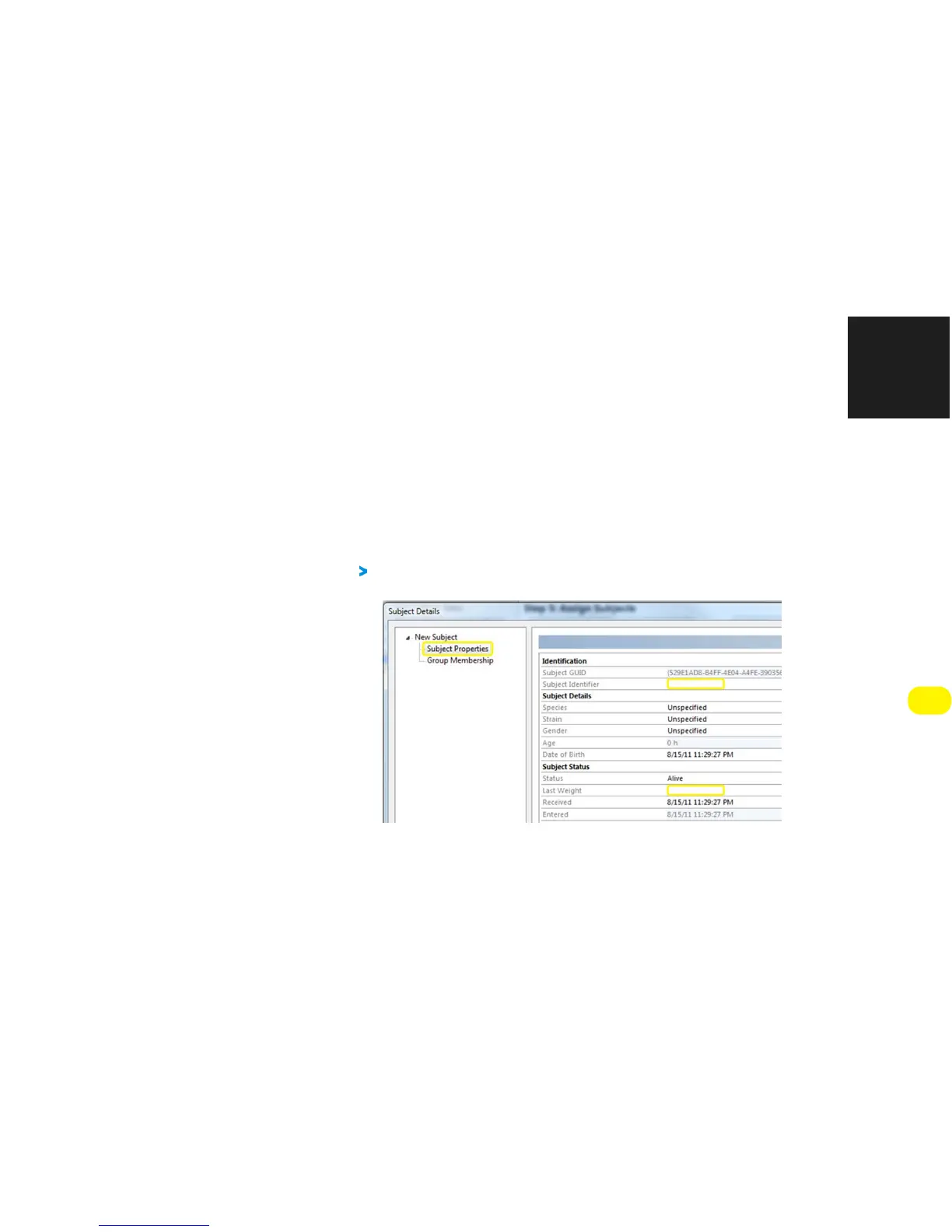
To define a subject, assign it a unique identifier and define its weight as shown in
Figure 3-2. Other fields (e.g. strain, gender) are optional.
FIGURE 3-2: SUBJECT PROPERTIES DETAILED IN SUBJECT MANAGEMENT
9)
Click
Group Membership
, and then select the group to which the subject should be added
using the drop-down menu, per Figure 3-3.


 To Next Page