42
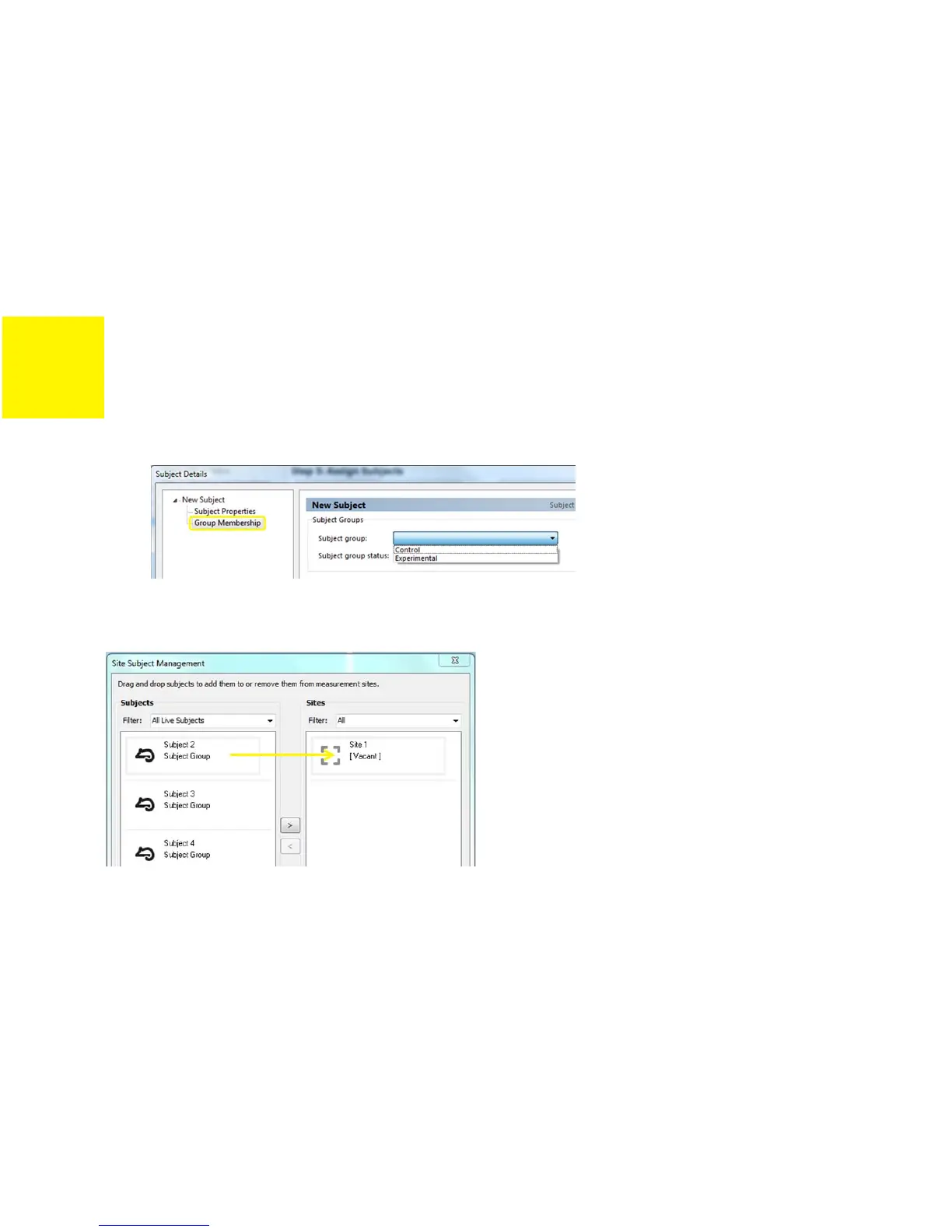
FIGURE 3-3: GROUP MEMBERSHIP SELECTION OF SUBJECT DETAILS
10)
Click
Ok
to exit subject management.
11)
Drag and drop the subject onto the measurement site.
FIGURE 3-4: ASSIGNING A SUBJECT TO THE MEASUREMENT SITE
12)
If you have selected a template that includes aerosol delivery (e.g. a default template with
‘AN’ in its name), you will be prompted to prime the nebulizer. The settings for this are pre-
configured in the software. Simply ensure that the nebulizer reservoir contains 1-2 mL of
fluid (e.g. saline), remove the nebulizer from its mount on the FX adapter and then click
OK
.


 To Next Page