40
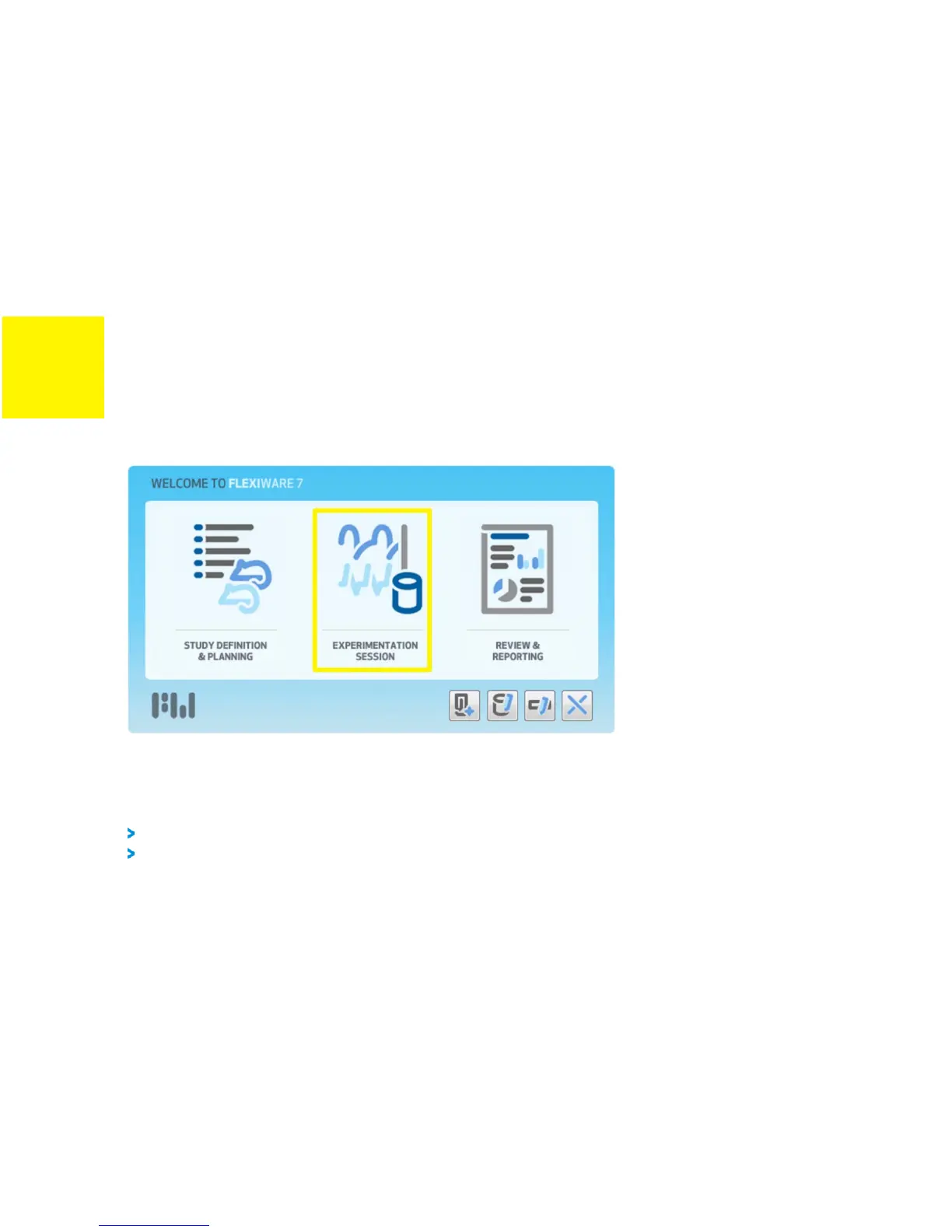
FIGURE 3-1: FLEXIWARE WELCOME DIALOGUE
3)
Start an experimentation session by selecting the
Experimentation Session
button on the
Welcome dialogue, as highlighted in Figure 3-1.
4)
Select
Default Study
in the Study Selection dialogue.
The default study contains two subject groups,
Control
and
Experimental
.
Should you prefer to use a study that is customized to your research, refer to the
flexiWare
user manual for guidance using the
Study Definition & Planning
module of
the software.
5)
Enter the operator name or initials, experimentation session title and pertinent comments
about the session in the Session Properties dialogue.
6)
Select a template from the list of those available. The template you select must match the
hardware configuration you are using. For more information on templates, including the


 To Next Page