19
R
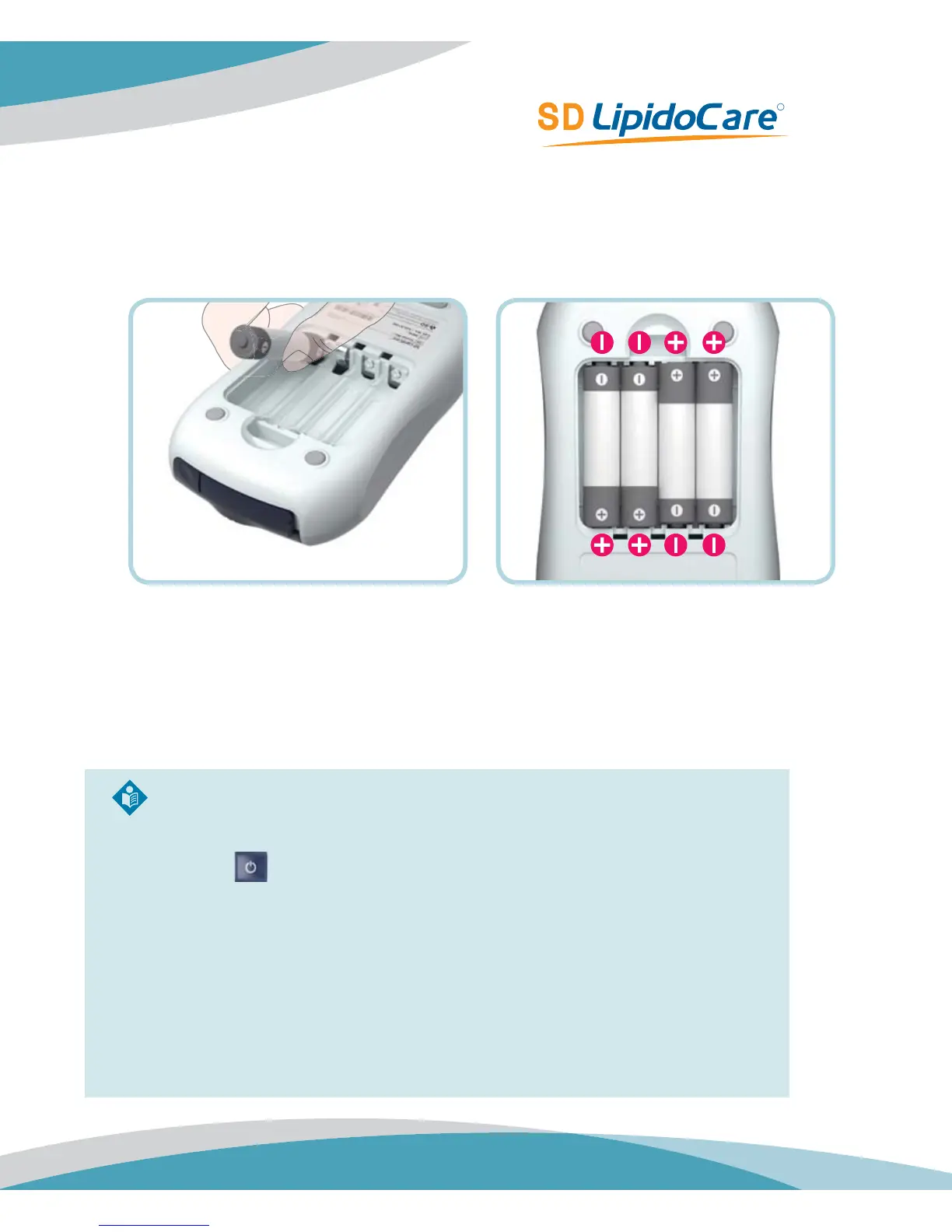
4. Insert four batteries into the compartment according to the illustrations. Please note
the orientation of the “+” (battery head) and “–” terminals (flat end). Use only alkaline
manganese batteries (1.5 V, AAA)
5. Close the battery compartment lid.
6. Turn the Analyzer on to test the function of the new batteries.
7. Check the display is functioning correctly to prevent misinterpretations due to defective
display elements.
Note.
t If you think the display screen does not appear for long enough, you can hold
down the
button (the next time you switch on the Analyzer). The display
screen is then shown for the time the button is pressed.
t After inserting or replacing batteries, confirm that the time and date are set
correctly. If they are not, reset the Analyzer before testing.
t Always replace all four batteries at the same time because batteries with
different capacities may impair the function of the Analyzer. Do not use
rechargeable batteries.



 To Next Page