Operation • 53
17-10-06-643-100a/04-2018S
All the elements of the display are shown briefly, then seca appears in the
display.
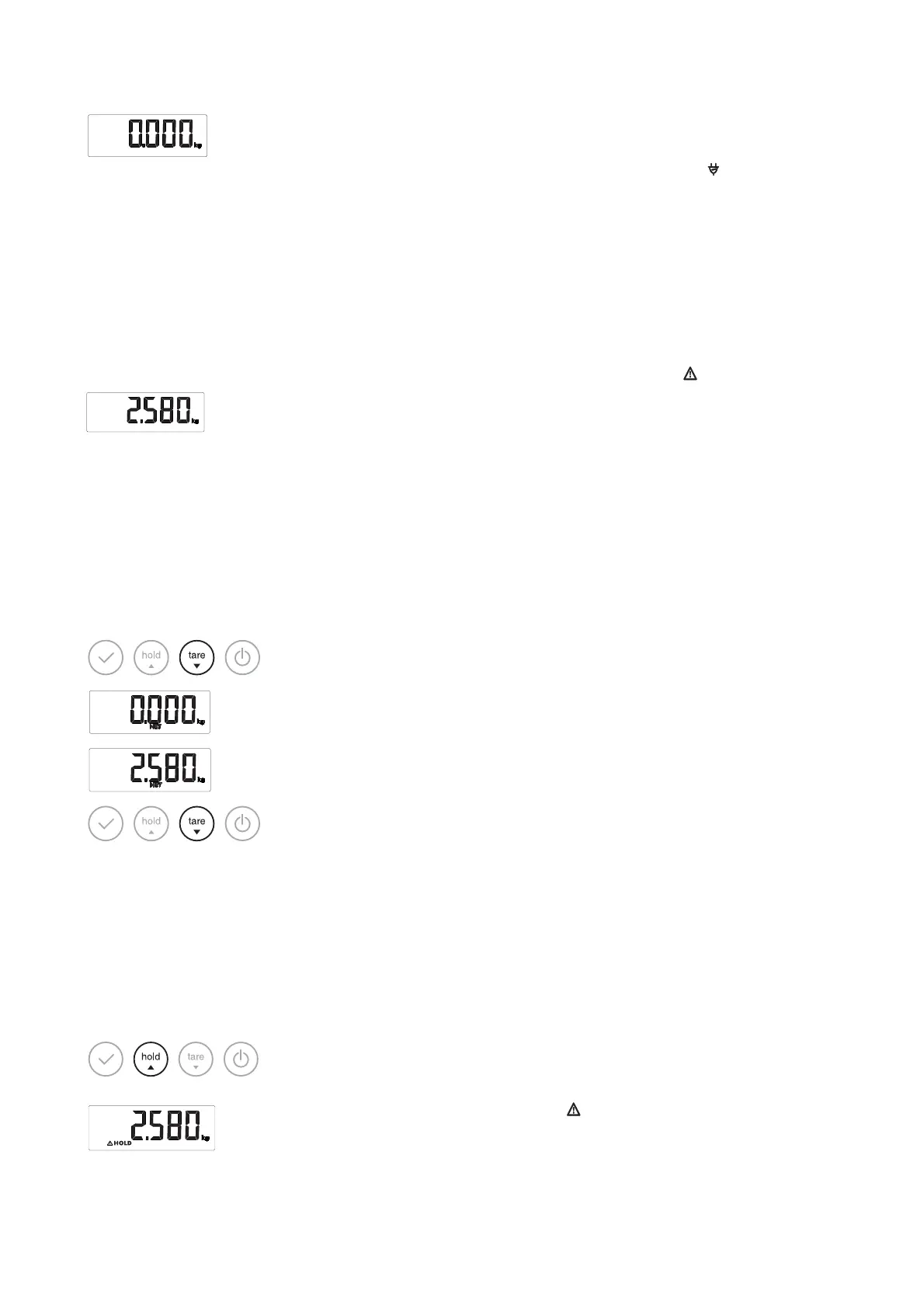
The scale is operational when
0.000 appears in the display.
If the scale is operated with a power supply unit, the symbol appears in
the display.
If a digital measuring rod is connected to the scale, the measuring rod is
switched on automatically (see “Measuring with the digital measuring rod”
from page 55).
NOTE
When the Autohold function is activated, the weight value is automati-
cally displayed permanently (see “Activating the Autohold (AHOLd)
function” on page 58).
3. Place the baby on the scale.
4. Press the
hold arrow key briefly.
The weight value is displayed permanently. The symbol (non-verifiable
function) and the “HOLD” message are displayed.
5. Read off the measured result.
Taring off additional weight (Tare) Using the TARE function, you can prevent any additional weight (e.g. a towel
or a cushioned mat on the weighing surface) from affecting the weighing
result.
NOTICE!
Incorrect measurement as a result of force shunt
If an additional weight, e.g. a large towel, contacts the surface on
which the scale is placed, weight will not be measured correctly.
► Make sure that additional weights are only placed on the scale's
weighing surface.
1. Place the additional weight on the scale.
2. Hold down the
tare arrow key until the “NET” message appears in the
display.
3. Wait until the display stops flashing and
0.000 appears instead.
4. Place the baby on the scale.
5. Read off the measured result.
The additional weight is deducted automatically.
6. To deactivate the TARE function, press the
tare arrow key until the “NET”
message is no longer displayed or switch off the scale.
NOTE
The maximum weight which can be displayed is reduced by the
weight of the objects already placed on the scale.
Keeping the measured result in the
display (Hold)
When you activate the HOLD function, the weight value continues to be dis-
played after the load is removed from the scale. This allows you to take care
of the baby before recording his or her weight.
NOTE
When the Autohold function is activated, the weight value is automati-
cally displayed permanently (see “Activating the Autohold (AHOLd)
function” on page 58).
1. Place the baby on the scale.
2. Press the
hold arrow key briefly.
The display flashes until a stable weight is measured. The weight is then
continuously displayed. The symbol (non-verifiable function) and the
“HOLD” message are displayed.
3. To deactivate the HOLD function, press the hold arrow key briefly.



 To Next Page