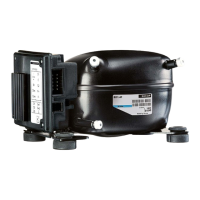
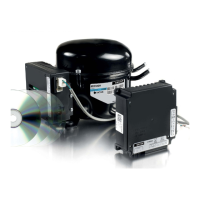
XT Controllers for NLV-CN Compressors
Page 42 / 43
Parameter Function Code Min. Max.
Default
Setting
Blind function
0 = None
1 = Night
o62 0 1 0
4.13.
Nighttime Operation
4.14.
Blind Control
During night, the need for cooling might reduce due to less opening of doors, no light, blind curtains, etc.
Furthermore, it might be necessary to adjust the weighting of the temperature sensors due to changed
airflow and load.
Nighttime operation can be done by:
1. Defining an application for nighttime operation. This allows multiple actions during the night.
>
Different weighting between sensors du to changed temperature balance
>
Control light
>
Change in defrost interval
>
Increase in set point
>
Reduction in fan speed of evaporator fan
2. Simple nighttime mode by changing set point.
The nighttime mode can be selected by:
>
Signal from a digital input
>
Remote by Modbus
>
Action timer
The purpose of the blind control function is to manage the blinds in front of the cabinet in sync with the
daytime / night mode of the controller. The function can be overridden by the digital input which will put
the curtain into day position at closed DI.
Functional description:
The relay for the blind control will be engaged during nighttime mode. For some control systems, a 1 pole
change over relay will be needed to run the curtain motor in 2 different ways. This option is possible on
relay 8. To activate the blind function, the parameter “Blind function” (o62) must be set to “Night”.
The NLV can be set to nighttime mode via one of the following methods:
>
Manually via settings in the controller
>
Via a signal on the digital input, depending on settings in the controller
>
Via the “Day/Night function” in the master control system
>
Timer controlled
>
Remote by master controller
>
Door contact
>
Display
Restriction:
If the DI is defined for curtain control, a closed DI will override the above-mentioned inputs and force the
curtain into day position.
4.15.
Light Control
The purpose of the light control function is to manage the lights in the cabinet.
Functional description:
The relay output for light/curtains is a 1 pole change over relay. The relay is engaged during nighttime
mode.
The NLV can be set to nighttime mode via one of the following methods:
>
Manually via settings in the controller
>
Via a signal on the digital input, depending on settings in the controller
>
Via the “Day/Night function” in the master control system
>
Timer controlled
>
Remote by master controller
>
Door contact
>
Display
Restriction:
Safety functions during daytime/nighttime control:
When the night setting signal is lost, the controller will revert to the default day condition. For that reason,
the night signal from the front end must be retransmitted (master control block) to keep the nighttime
mode in the NLV. Otherwise, the NLV goes into daytime mode (light on and curtain up).
Operation of light is not prioritized. For instance will manual operation by switch and display over-rule
automatic light mode[Sinn unklar]. If the light is set manually to on, the nighttime mode and timer can
still turn the light off. The light will switch off if controller is set to stop and during power-up.
Parameter:
Parameter Function Code
Multiple
Apps
Min. Max.
Default
Setting
Unit
Configuration of light function:
1 = Daytime/Nighttime operation
2 = Door
4 = Remote controlled via ‘o39’
8 = Timeout detection enabled (network loss)
o38 x 0 15 1 -
Activation of light relay via remote
0 = Off
1 = On
o39 0 1 0 -
Light turn-off delay after door closes o40 x 0 240 2 min.
Inverse Light function
0 = Disabled
1 = Inverse
o41 x 0 1 0 -



 To Next Page