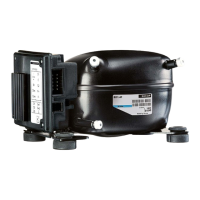
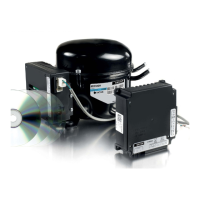
XT Controllers for NLV-CN Compressors
Page 14 / 15
2.7.3.
Modbus
Connection
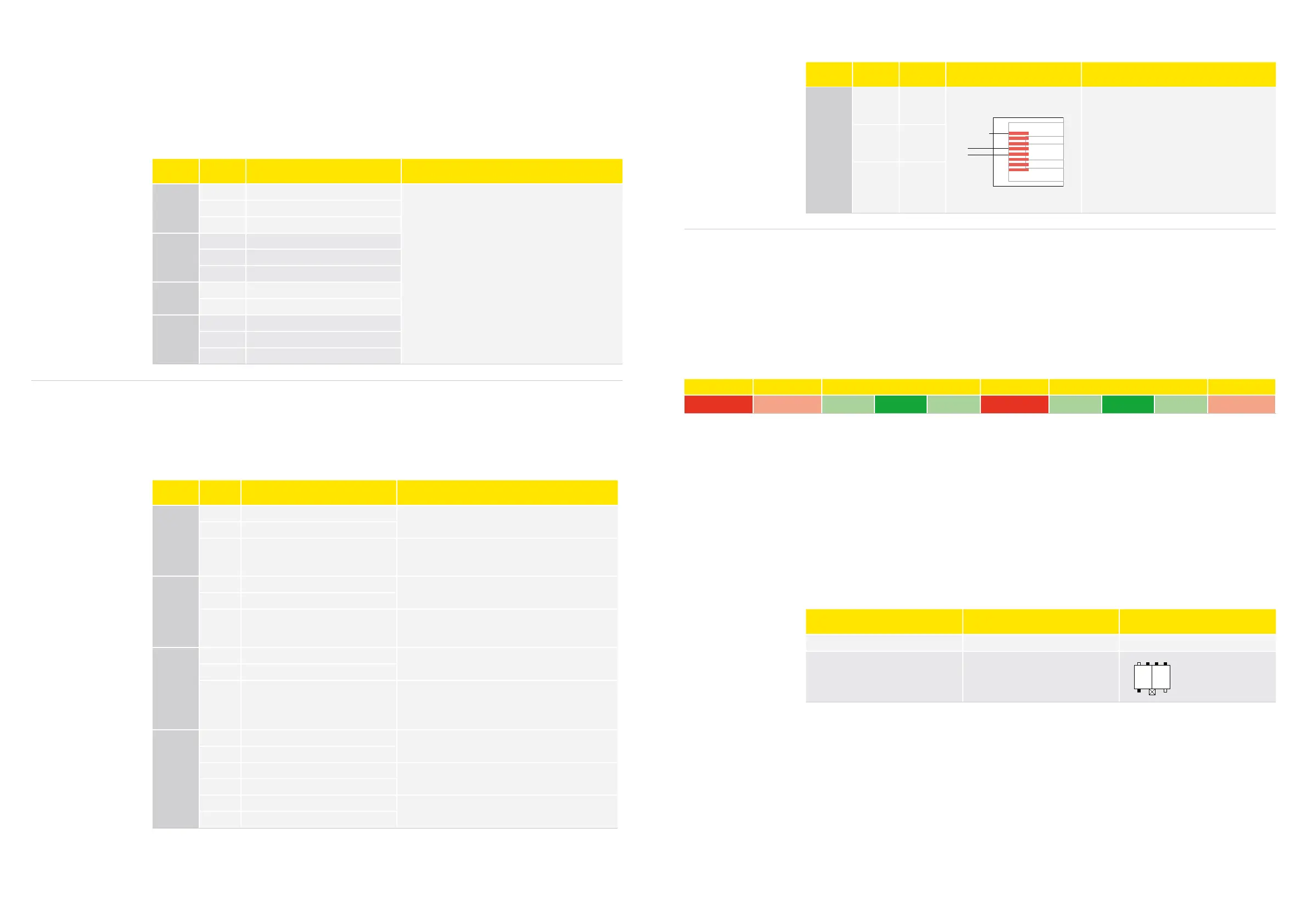
Name Pin Signal Type Specification
MODBUS
RTU
4 D1
1
8
Standard: IEA485
Maximum nodes:
With RC termination: 100
With resistor termination: up to 32
Cable max. length: 1000 m
Maximum stub No. and length: 30/1 m
Termination: Resistor 150 Ω (30 nodes)
Recommended RC series: 120 Ω, 1nF
Installation must be in accordance to “standard
modbus.org” with RJ45 plugs and CAT5
5 D0
8 Common
System Stop No Operation Nominal 100–127 VAC No Operation Nominal 220–240 VAC No Operation
<50 V <80 V
80–90 V 90–150 V 150–155 V 155–160 V 160–180 V 180–270 V 270–280 V
>280 V
>
The dark green area shows “Continuous Run”
• Within this range, the compressor can run, start, and stop without any restrictions.
>
The light green range shows where the compressor will continue to run, yet restarts are not possible
>
As soon as you enter the “No Operation” area, the controller will show a voltage failure. It will stop and
only start again within “Continuous Run” area (dark green)
>
In the red area (below 50 V), the controller will switch off and can no longer send any alarm, etc.
Power connection can be done by:
>
2-pole Rast5 connector
>
Standard 6.3 × 8 mm faston connectors
Note:
Maximum current rating for the chosen connector system and proper wiring must be considered in the
application.
Name Type Coding of external connector
Protective earth (PE)
2 pcs. tab 6.3
× 0.8 mm
No coding
Power supply
2 pole RAST 5
or
2 pcs. tab 6.3
× 0.8 mm
(Black means pin is present)
P
1
K
2
1a 1b 2a 2b
1c 2d
2.7.4.
Power
Connection
The controller operates in two voltage bands.
>
At startup, the controller will detect the connected voltage and set the minimum and maximum limits
for the detected band accordingly.
>
If the controller operates in the low voltage band and detect a voltage higher than 150 VAC but lower
than 160 VAC, it will close and disconnect all outputs.
>
If the voltage is above 180 VAC it will switch to the high band after a short interruption.
>
The disconnection of the relays and compressor is to protect both compressor and auxiliary devices
such as fans and valves.
2.7.1.
Temperature
Sensors
Name Pin Type Specification
S1
1 GND
Measurement range: -55 to 85°C
Sensor characteristics:
Nominal resistance at 0°C: 16.3kΩ
Nominal resistance at 25°C: 5.0kΩ
Nominal resistance tolerance: ±2%
B value: 3980 K
B value condition: B25/100
B value tolerance: ±1.5%
2 Not connected
3 Analog input
S2
1 GND
2 Not connected
3 Analogue input
S3
1 GND
2 Analogue input
S4
1 GND
2 Not connected
3 Analog input
The controller provides the option to connect up to 4 temperature sensors.
The general sensor setting is:
>
Sensor S1 and S2 are used to measure the cabinet temperature.
>
Sensor S3 is used for product temperature (HACCP) or condenser fan control.
>
Sensor S4 is used for controlling defrost.
2.7.2.
Analog and
Digital I/Os
Name Pin Type Specification
DIO1
1 GND
10–12 V DC
2 V supply
3 Digital I/O
Digital output: “open collector”
Internal pull-up resistor to V supply: 10 kΩ
Signal voltage range (low/high): 0/5–12 Vpp
DIO2
1 GND
10–12 V DC
2 V supply
3 Digital I/O
Digital output “open collector”
Internal pull-up resistor to V supply 10 kΩ
Signal voltage range (low/high): 0/5–12 Vpp
Display
(DIO3)
1 GND
10-12V DC
2 V supply
3
Single wire interface signal
(SWI)
Internal pull-up resistor to V supply 10 kΩ
Signal voltage range: 5–12 Vpp
Max current sourcing: 20 mA
Half-duplex single wire, baud rate: 1200–9600
AIO1
1 GND
10–12 V DC
2 Vsupply
3 Analog/digital input
Analog signal range: 0–5 V
Input impedance >10 kΩ
4 Analog/digital input
5 Analog output
Currently not enabled
6 Analog output
The controller provides 2 analog I/Os and 4 digital I/Os.
The digital I/Os can be used to connect the auxiliary contact device, door sensor, buzzer, and light switch.
The controlling function can be selected by the software parameters.
The analog I/Os can be used for customized use such as pressure transducers, light control, and fan
speed control. The analog inputs can be configured as digital inputs too.



 To Next Page