Doc. No.: A05280692 Rev. AE ECO: 13200 Date: 11/04/2019
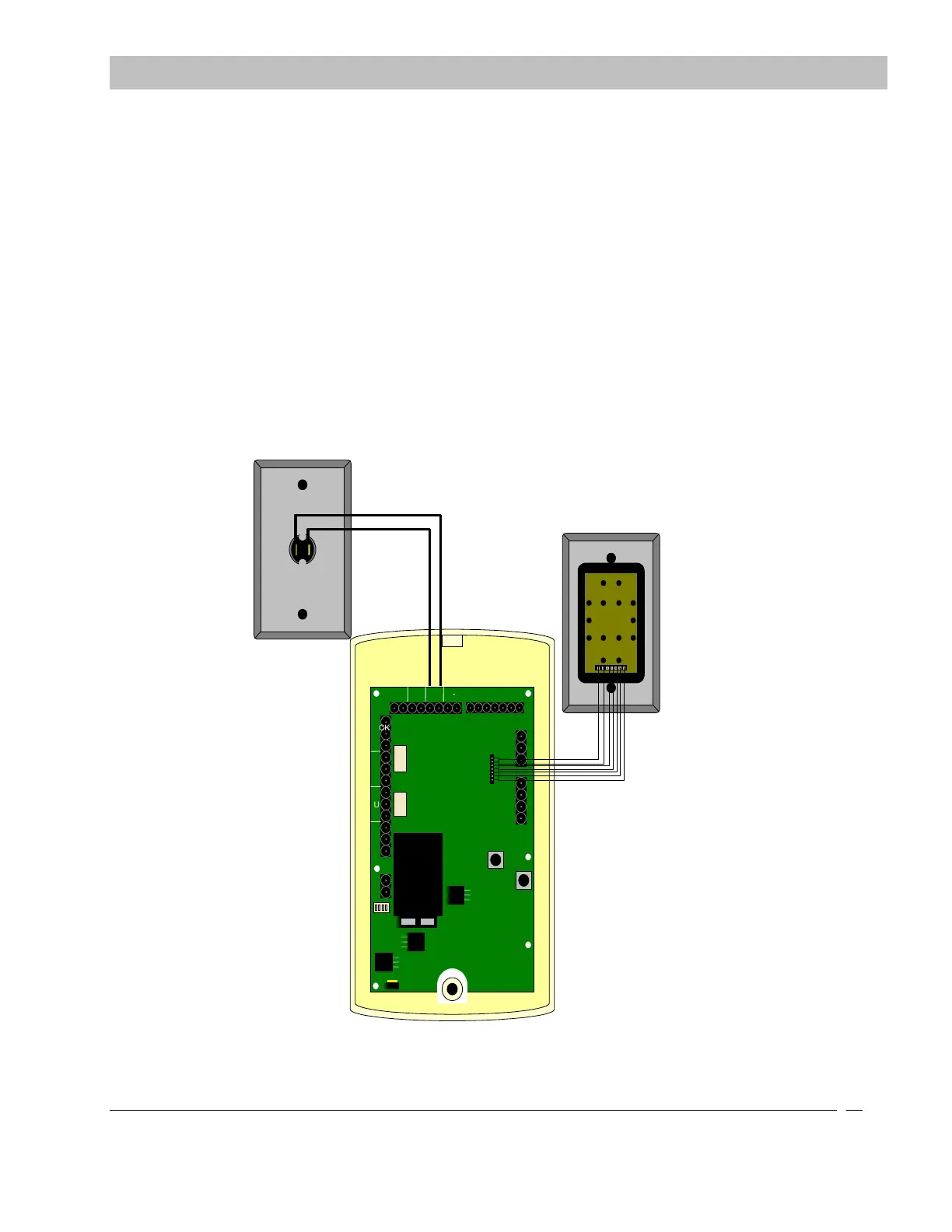
Interfacing the Push Button and the Remote Keypad
The ID Exit Panel can be interfaced with a Normally Open Non-latching Push Button and/or a Secure Care Products
provided Remote Keypad. The connections should be made as shown in Figure 9-11.
WARNING: The Push Button input is a dry input. No voltage is to be
applied to the Push Button inputs. This will damage the panel and void the
warranty.
SECTION 9 INSTALLATION AND CONNECTIONS


 To Next Page