Doc. No.: A05280692 Rev. AE ECO: 13200 Date: 11/04/2019
fire inputs will damage the panel and void the warranty
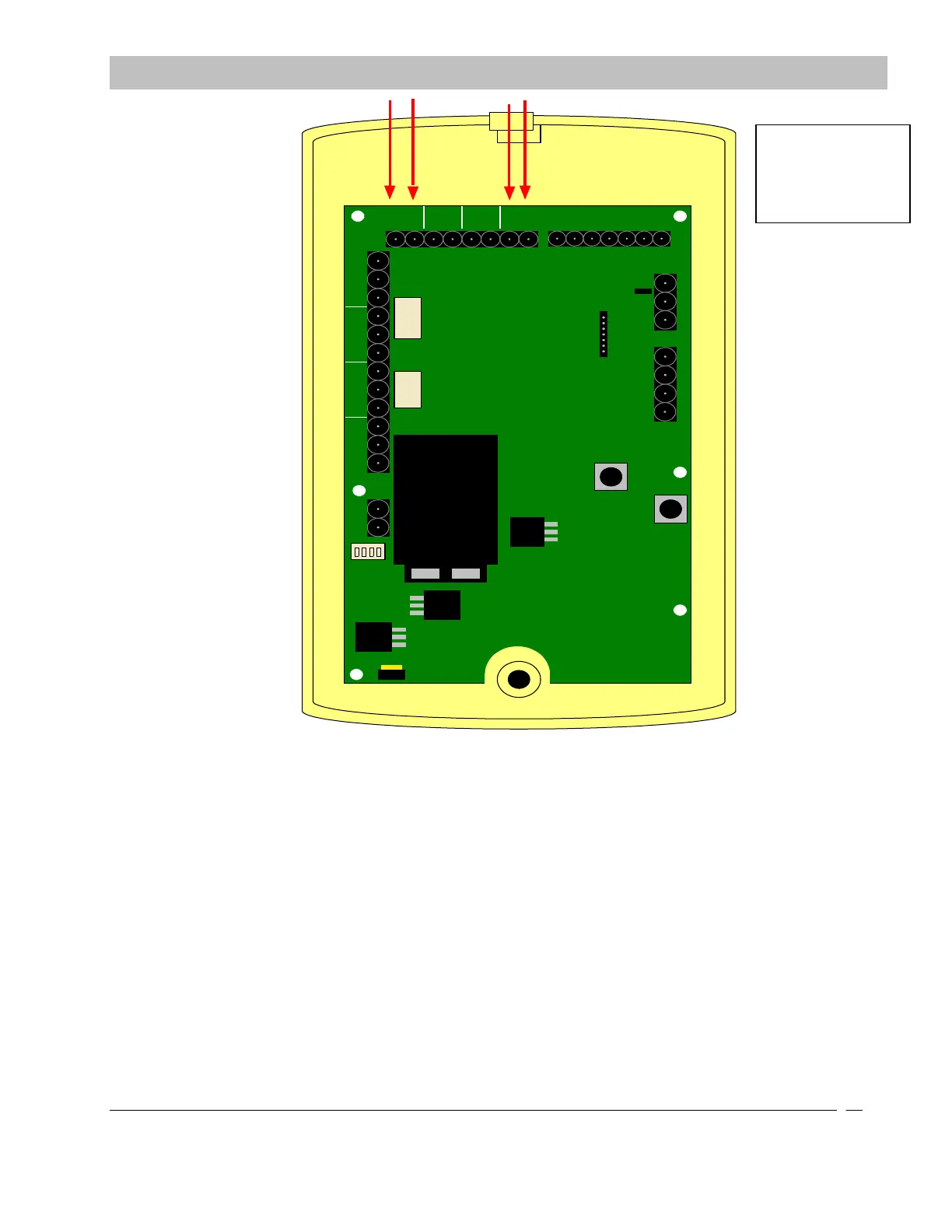
Figure 9-13 Delayed Egress and Fire Alarm Connections
XIU to Secure Care Software Connections
Secure Care Software provides central monitoring of the Secure Care Products security devices installed in a facility. The
software runs on ordinary Windows-based personal computers. Secure Care Software shows all activities on detailed
floor maps of the facility. Device images on a floor map are mapped to the devices they represent so that Secure Care
Software can manipulate the image in response to events and status changes involving the device.
The software receives communications from field installed devices via a communication hub device known as an “XIU”.
The XIU provides communication from field devices using an RS-485 architecture. This architecture will be referred to
the “CAN bus” throughout this manual. The XIU connects to a COM port on the back of the computer loaded with the
Secure Care Software.
SECTION 9 INSTALLATION AND CONNECTIONS SECTION 9 INSTALLATION AND CONNECTIONS
FIRE
PUSH
DOOR
EGRESS
LOCK
AUX
SECURE CARE PRODUCTS
AUX
LOCK
- +
NO C NC
NO C NC
NO C NC
NO C NC
- +
KEYPAD
O N
1 2 3 4
1 2 3 4 5 6 7
21
2
1
1 2 3 4
CANL
CANH
GND
Note: In order to use
this equipment with
fire alarm system,
the end product
must be listed to
UL864


 To Next Page