Doc. No.: A05280692 Rev. AE ECO: 13200 Date: 11/04/2019
NOTE: Secure Care does not recommend using a USB comport converter. It is best to use a COM
port installed in the PC.
FIRE
PUSH
DOOR
EGRESS
AUX
CANLCANHGND
SECURE CARE
PRODUCTS
LOCK
- +
NO C NC
+ -
KEYPAD
O N
1 2 3 4
1 2
3
4 5
6 7
1) POWER
2) NOT USED
3) NOT USED
4) NOT USED
LOCK
NO C NC
AUX
NO C NC
NO C NC
CAT5
U
L
DATA IN
DATA OUT
GROUND
TAB DOWN
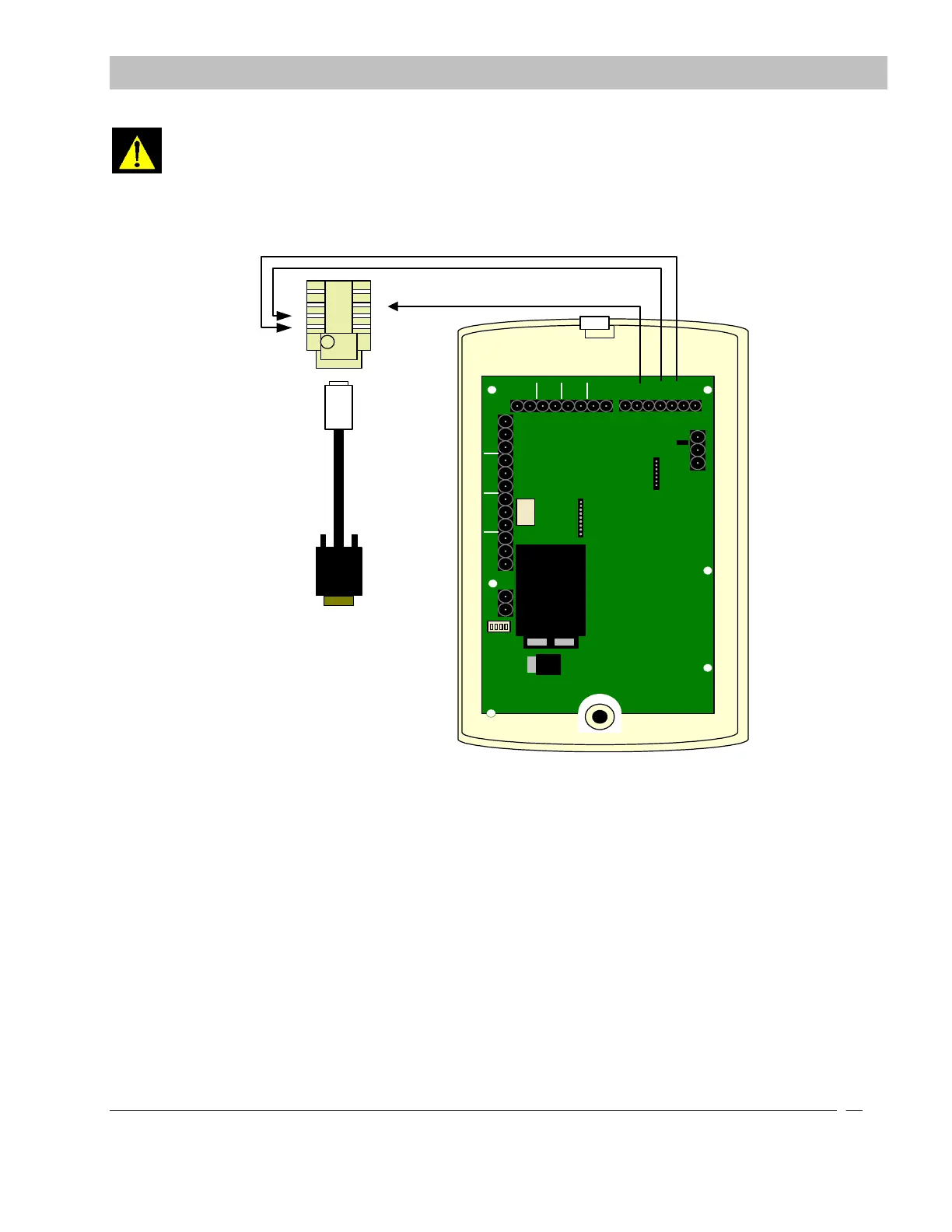
Custom Made Cable included in
the Computer Package.
CAT 5 JACK XIU
USE "B" CONNECTIONS .
ORANGE TRACE TO 3
ORANGE TO 4
GREEN TRACE TO 6
RJ4
5
EN
D
Figure 9-14 XIU to Secure Care Software Connections
XIU to XIU Connections
In a system setup that is using two XIU’S, one for Exit Panels and one for Cutband Receivers for the doors to arm during
a Cutband alarm, the XIU connected to the Cutband Receivers must be connected to the XIU connected to the ID Exit
Panels. The Cutband XIU push button inputs must be connected to the egress inputs of the ID Exit XIU. The Cutband
XIU positive fire input must be connected to the door input of the ID Exit XIU as shown in the drawing down below.
SECTION 9 INSTALLATION AND CONNECTIONS


 To Next Page