18
ASSEMBLY AND INSTALLATION
6
5
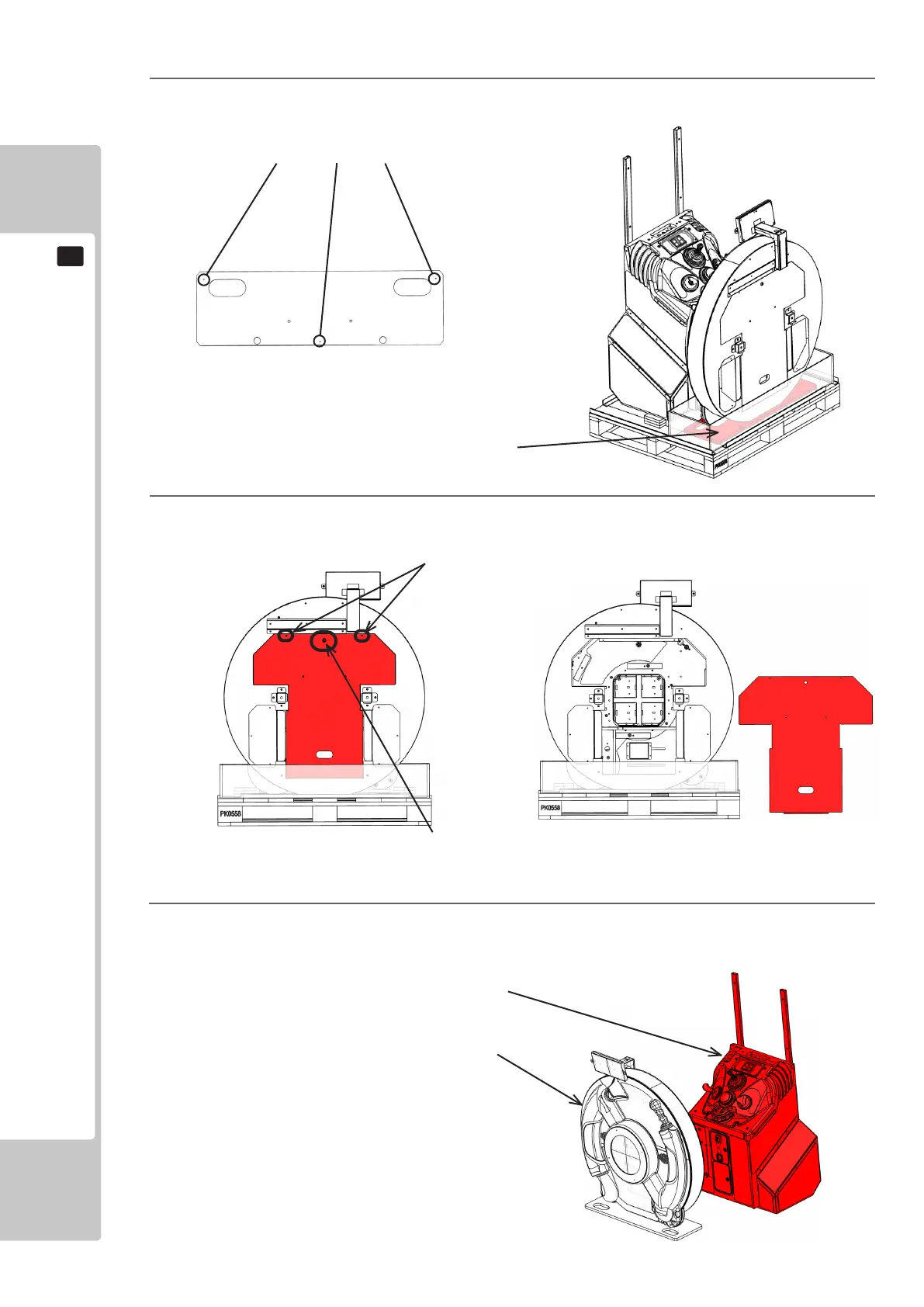
Remove the Door Box Display Back by removing the (2) xings and unlocking with the supplied key
4
Remove the (3) transit xings of the Display Cabinet that secure the Transit Board to the pallet
Fixings
TransitFixings
Transit Board
Lock
6
Remove the Display Cabinet from the pallet. Remove the Main Cabinet from the pallet and place into
position behind the Display Cabinet with the front of the Cabinet facing towards the Display Cabinet
MainCab
DisplayCab












 To Next Page