41
K600000000SE 030804 011018
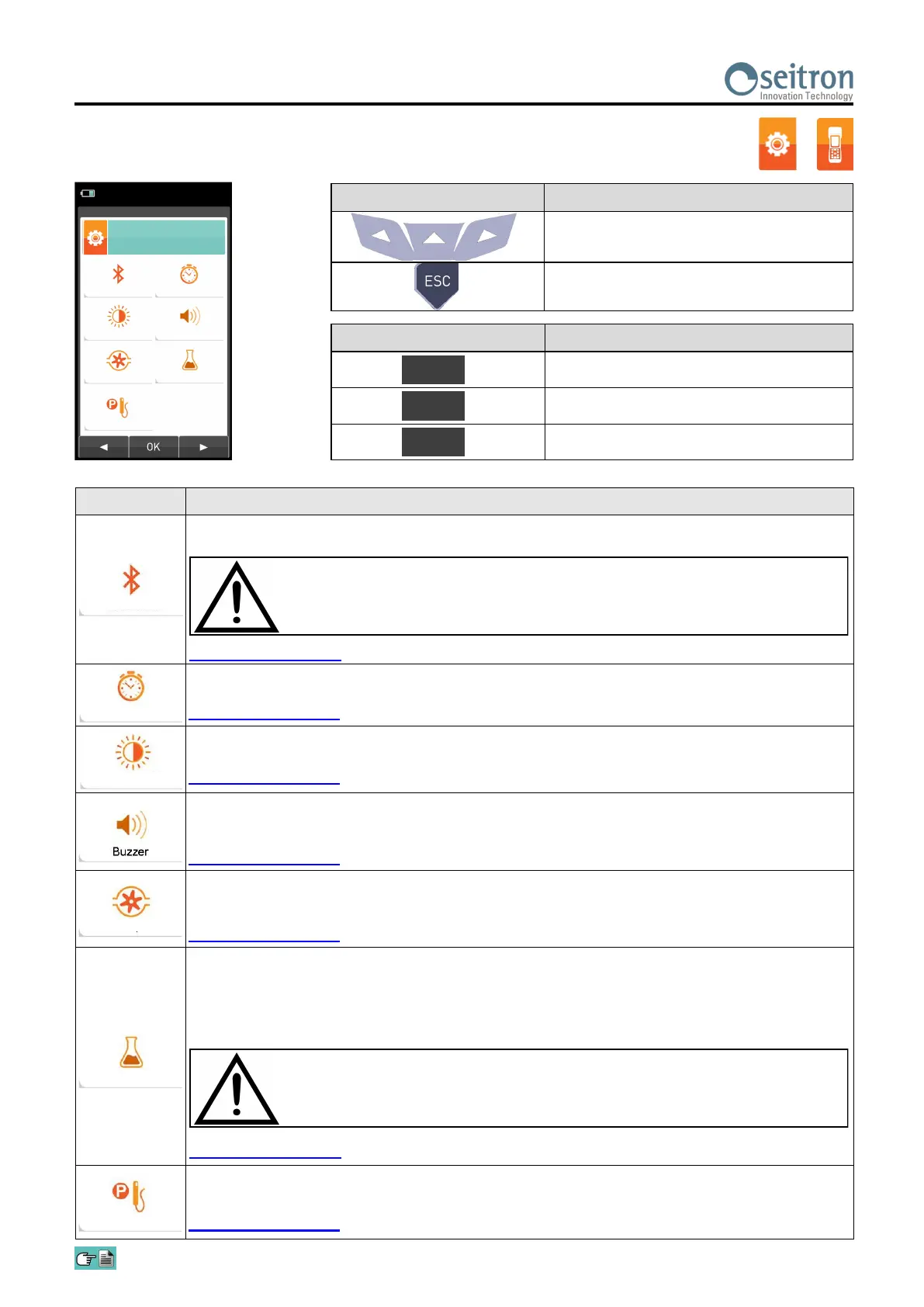
10.3 Configuration→Instrument
PARAMETER DESCRIPTION
Through this sub menu the user can turn on and off the instrument Bluetooth wireless
communication with a PC or PDA.
This allows the current time and date to be set. The user can select the date and hour format
either in EU (European) or USA (American) mode.
SEE SECTION 10.3.2.
The display contrast may be increased or decreased by acting on cursor keys. This operation
may be performed even when the introductory screen is active.
SEE SECTION 10.3.3.
The instrument is fitted with an internal buzzer which is mainly used to signal any faults and/or
alarms. In this submenu you can enable or disable the buzzer or enable it and mute the key
tones.
SEE SECTION 10.3.4.
In this sub menu the user can turn the gas suction pump off or back on. Also, if the pump is on,
the user can view the flow of the pump in litres per minute.
It is not possible to turn off the pump during an autozero cycle.
SEE SECTION 10.3.5.
The CO sensor is protected by a pump which, in case of need, can inject clean air in the gas
path in order to dilute the gas concentration measured by the sensor. This function can be either
triggered by the overcoming of a CO concentration threshold which can be set by the user or, in
case it is known that the flue gases contain high CO concentration, kept enabled any time,
independently of CO concentration.
Allows to configure the micromanometer input (optional) as P+ or P- port. In case P- is selected,
the sign of pressure is inverted.
SEE SECTION 10.3.7.
WHEN THE INSTRUMENT BLUETOOTH INTERFACE IS TURNED ON, THE
BATTERY LIFE IS REDUCED DOWN TO 10 HOURS.
The main purpose of the CO Auto-Dilution feature is for protection for CO
sensor against over-saturation. The accuracy and resolution of the CO
measurement is not as great when this feature is enabled.
→
KEY FUNCTION
Activate the context keys shown on the
display.
Returns to the previous screen.
CONTEXT KEY FUNCTION
Selects the available parameters.
Enters in the selected parameter setting.
Selects the available parameters.
OK
◄
►
SEE SECTION 10.3.1.
SEE SECTION 10.3.6.
Bluetooth
Time/Date
Brightness
Pump
CO dilutor
Micromanometer
04/03/16
10:00
Bluetooth
Brightness
Pump
Time/Date
Buzzer
CO dilution
Configuration Instru-
ment
Micromanometer


 To Next Page