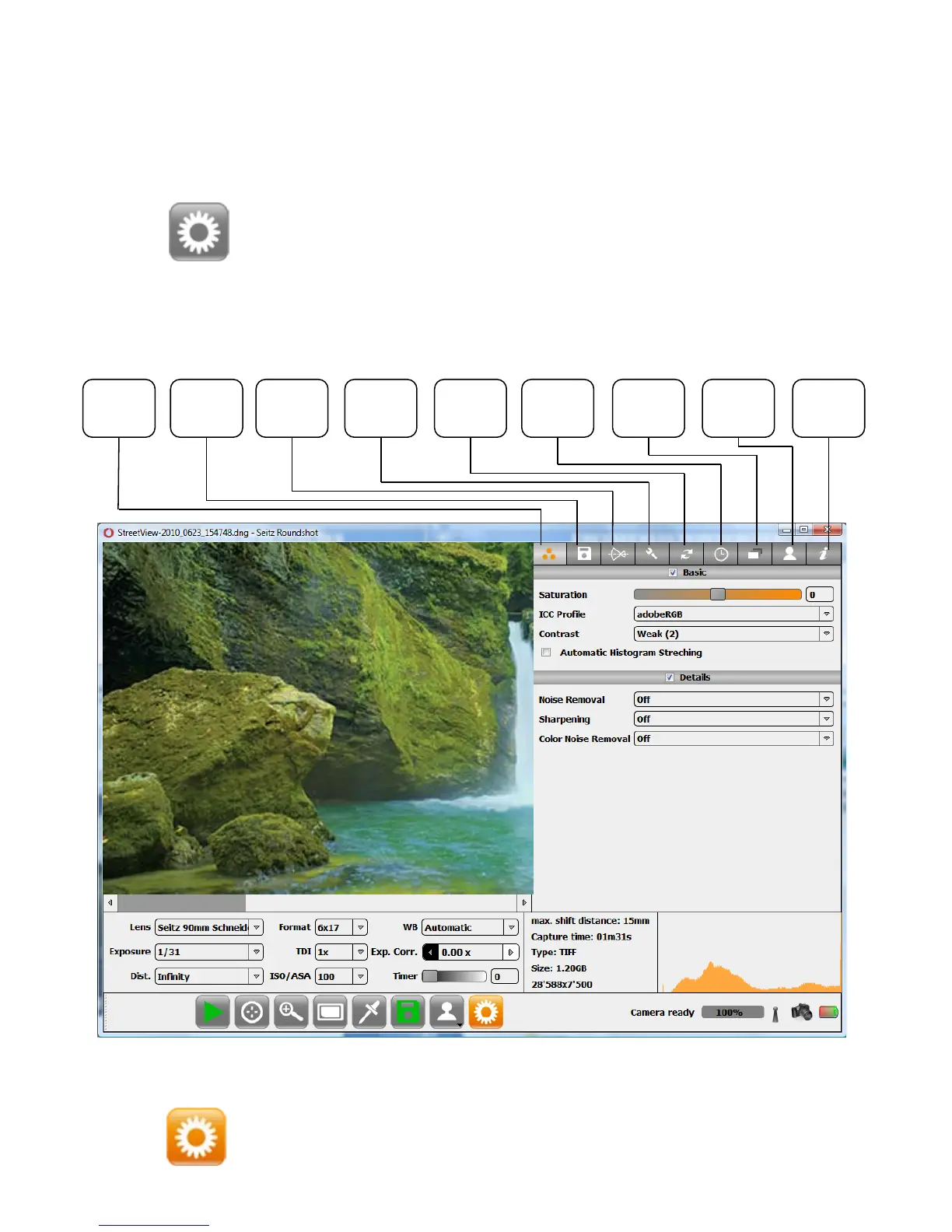
The „Parameter“ menu allows to set all parameters for image taking, processing
and storage. It is structured in nine tabs as described below:
Lens Custom Info
Camera
Param.
Save HDR Colour
External
Device
Scheduler
Press to navigate to the “Parameter” menu.
Press again to close the “Parameter” menu.
3.2 Parameter menu
Instruction Manual Seitz 6x17 Digital - version 4.05 - May 2013- © by Seitz Phototechnik AG / Switzerland www.roundshot.ch page 32



 To Next Page