2.2 Step 2: Get the computer ready
For cameras supplied with a tablet PC the Seitz Roundshot D3 software is already
installed on the tablet PC and the network configuration is complete.
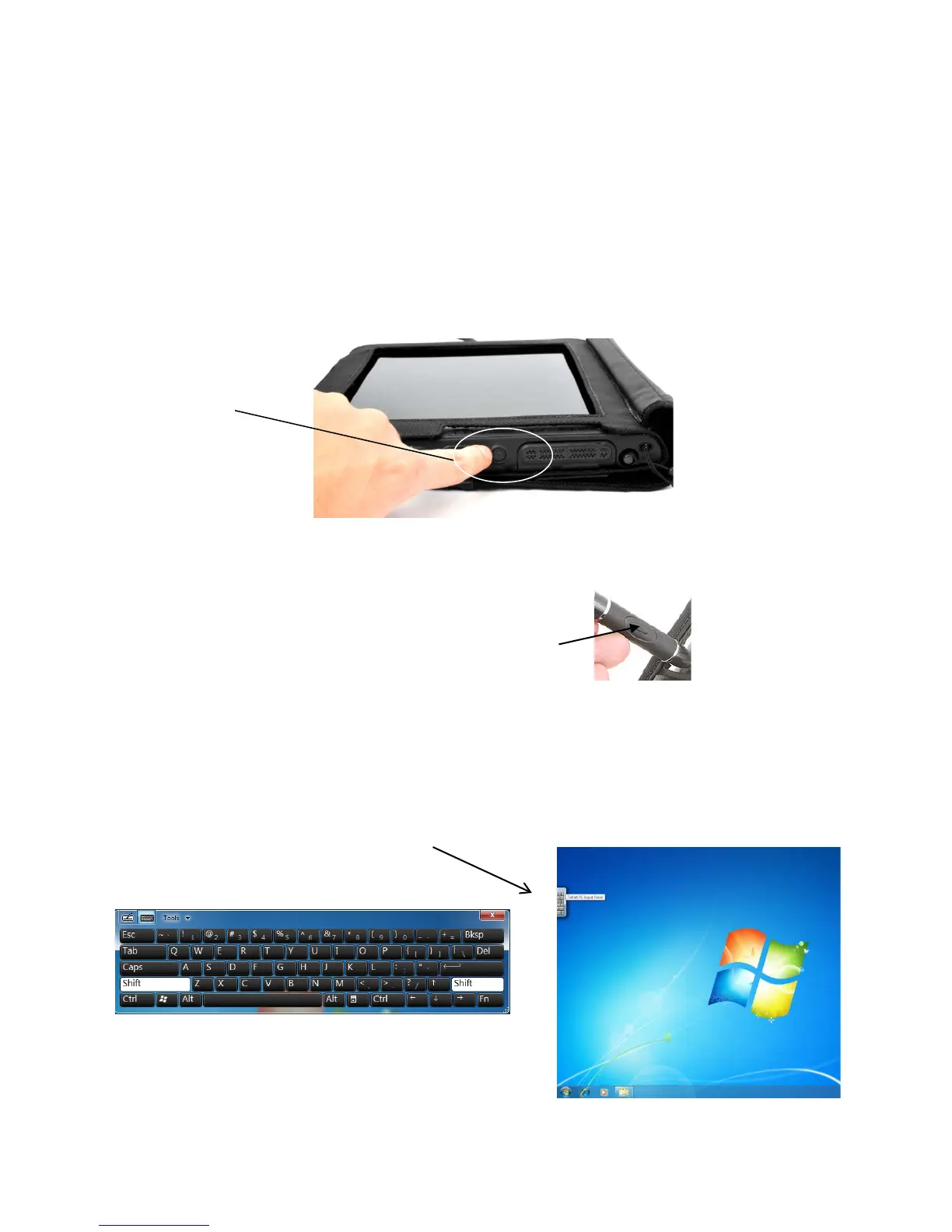
Start the tablet PC by pushing the on/off button on the right side of the computer.
The start-up takes approximately one minute:
„on/off“ button
2.2.1 With tablet PC (supplied with camera)
The tablet PC is operated with the supplied digital pen via touch screen. To activate
the „right mouse click“ press the button and hold:
When the computer has been idle and goes to standby, it can be reactivated by
pushing the on/off button.
If a password for the tablet PC has been set and the tablet PC is already part of a
domain, the logon screen will appear.
Activate the electronic keyboard by sliding the digital pen over the left margin of the
screen..
„right mouse click“
electronic keyboard Windows 7
Instruction Manual Seitz 6x17 Digital - version 4.05 - May 2013- © by Seitz Phototechnik AG / Switzerland www.roundshot.ch page 12



 To Next Page