6.4 „Club D3“ (continued)
6.4.2 Software & firmware updates
Sometimes copying programs or flash files on USB sticks can damage them.
Therefore we recommend downloading the software directly to your computer from
our website.
The Seitz Roundshot D3 software runs on Windows PCs (XP, VISTA, 7) as well as on
Mac computers (OS 10.5 and 10.6) with 32-bit or 64-bit Intel processors.
To update the firmware (within Seitz D3 digital scan back) and Seitz Roundshot D3
software proceed as follows:
• Set the LAN connection properties to: detect IP and DNS server address automatically
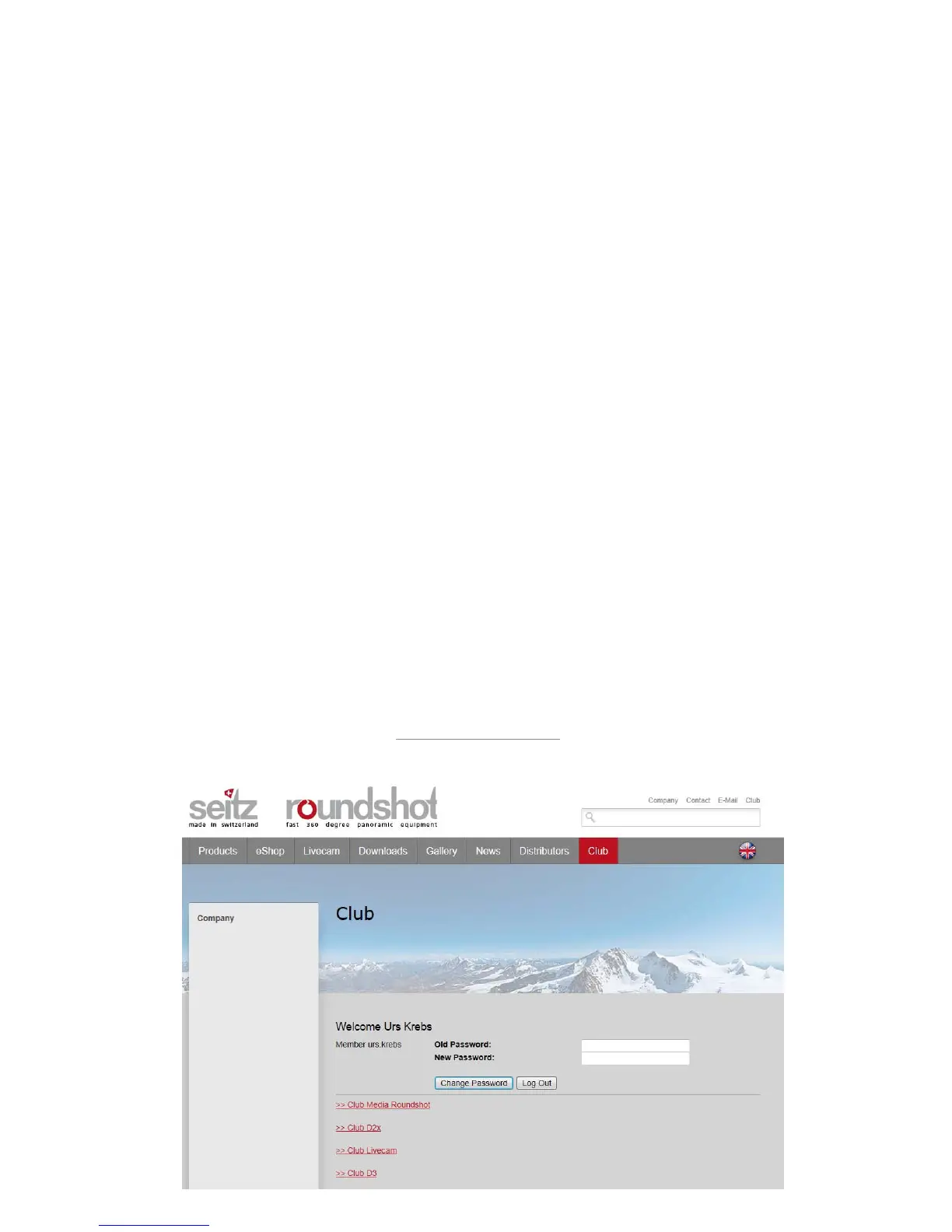
• Connect to the www.roundshot.ch website and enter „Club“
• Download the latest software directly to your computer
• Make sure that the active account has Administrator rights (otherwise restart the
computer and log on )
• Unzip the new installation exe file to your desktop, launch the installation file
• Choose your favorite language and follow the instructions
• Set the LAN connection properties again to: 10.0.0.20, 255.0.0.0 (or your personal
settings)
• Connect to the camera
Connect to the “Club” website at www.roundshot.ch
Please change your password on your first visit.
Instruction Manual Seitz 6x17 Digital - version 4.05 - May 2013- © by Seitz Phototechnik AG / Switzerland www.roundshot.ch page 93



 To Next Page