5.3 RGB workflow
5.3.1 Full resolution RGB workflow
Once the image is captured and
displayed in the preview window,
complete the following post-
production steps:
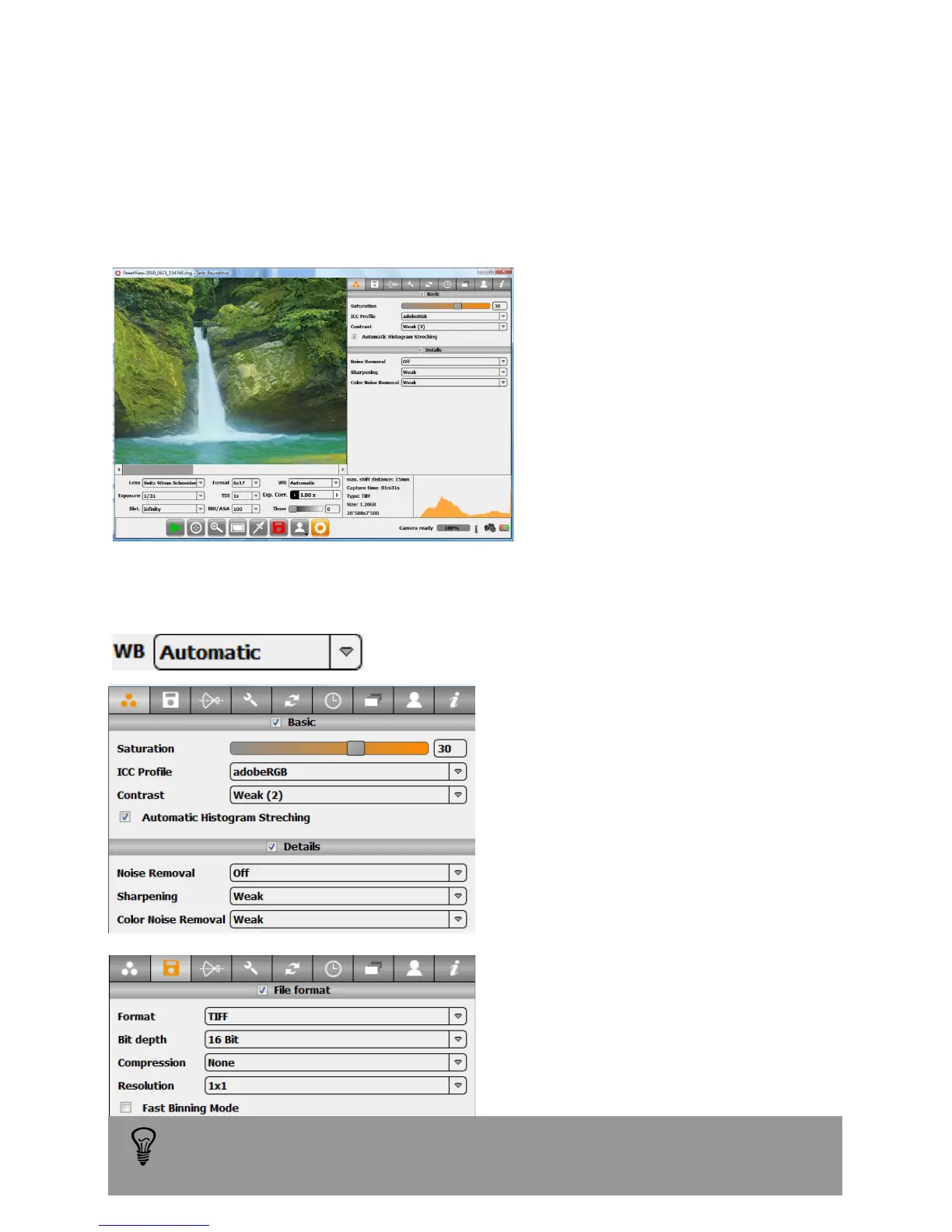
• White balancing
• Saturation
• Tone mapping
• Optional: sharpening/noise removal
Example: the example below show one set of parameters optimized for the RGB
workflow.
White balancing
Tone mapping
(contrast + histogram stretching)
Saturation
Optional details enhancement:
(noise removal + Sharpening + Colour
noise removal
Output file format
Resolution
With the RGB workflow image capture and RGB conversion are done in one step in
the Seitz Roundshot D3 capture software. This workflow is ideal for applications
where speed and limited post production are important.
Please note that the detail enhancement options such as noise reduction,
sharpness and colour noise removal increase the saving time.
Instruction Manual Seitz 6x17 Digital - version 4.05 - May 2013- © by Seitz Phototechnik AG / Switzerland www.roundshot.ch page 76



 To Next Page