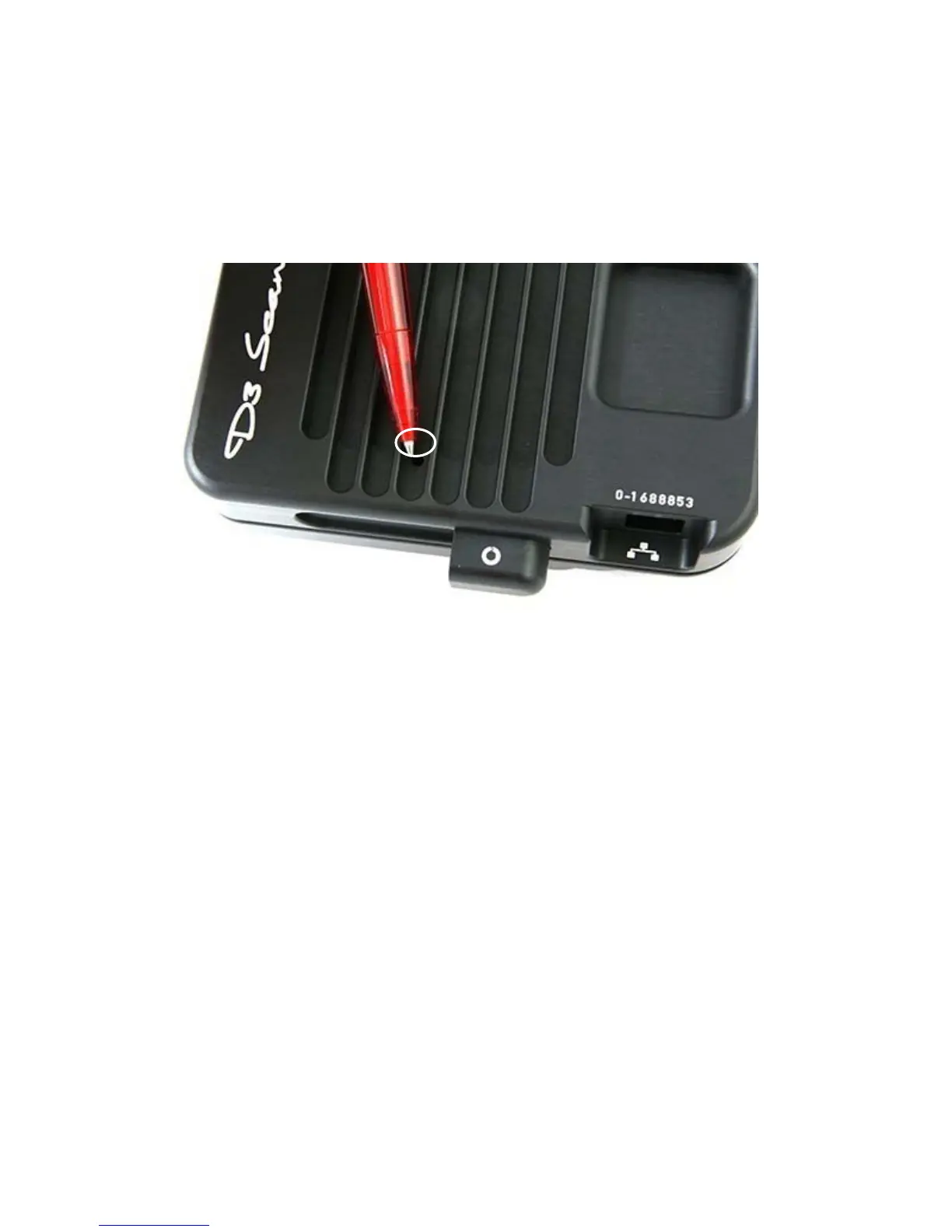
In case of a malfunction the Seitz D3 digital scan back can be reset. This may be
required if the software (flash file) within the Seitz D3 digital scan back is no longer
working properly. It is done in the following way:
Push with a pen or with a screwdriver into the reset pin on the back side of the Seitz
D3 digital scan back. Keep it pressed for a few seconds.
This initiates a reset of the software, i.e. the flash file is reset to the original factory file.
After the reset it may be required to flash the camera with the latest flash file. Please
follow the instructions in section 3.2.9.
6.2 Reset of Seitz D3 digital scan back
Instruction Manual Seitz 6x17 Digital - version 4.05 - May 2013- © by Seitz Phototechnik AG / Switzerland www.roundshot.ch page 89



 To Next Page