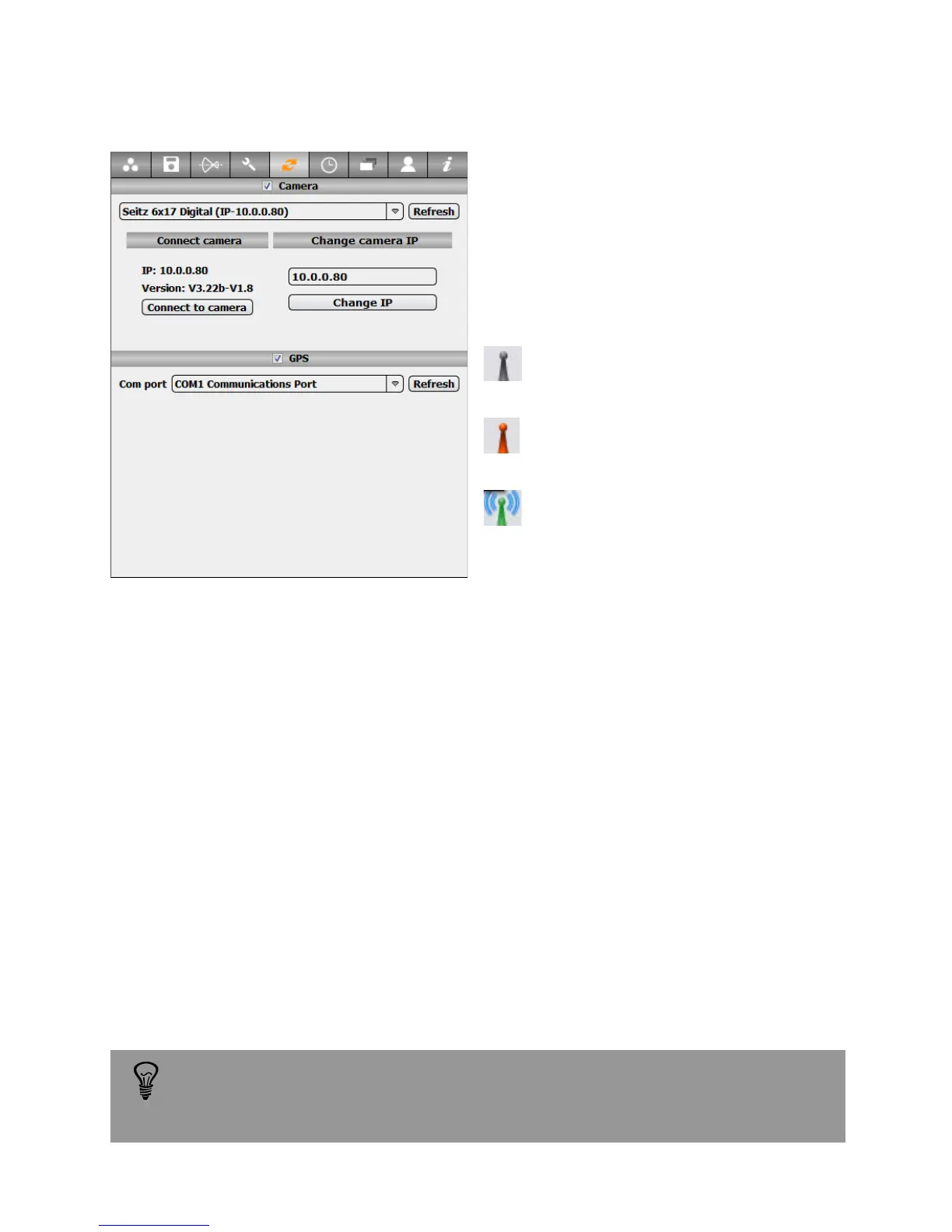
3.2.5 External device (continued)
GPS com port: select the communication
port used by the external GPS device.
When an active GPS is connected the GPS
location is written automatically in the
images metadata. 3 symbols show the GPS
device Status (bottom right of the main
window):
No GPS device connected to the
selected com port
GPS device detected but no
position aquired
GPS device detected and GPS
location acquired
When connecting a GPS device after starting the computer click on “Refresh” button
to see this new device in the GPS list
If the GPS option is active while no GPS device is connected, the settings
will be ignored. The camera will discard the defined parameters.
Instruction Manual Seitz 6x17 Digital - version 4.05 - May 2013- © by Seitz Phototechnik AG / Switzerland www.roundshot.ch page 39



 To Next Page