3.2.7 HDR (continued)
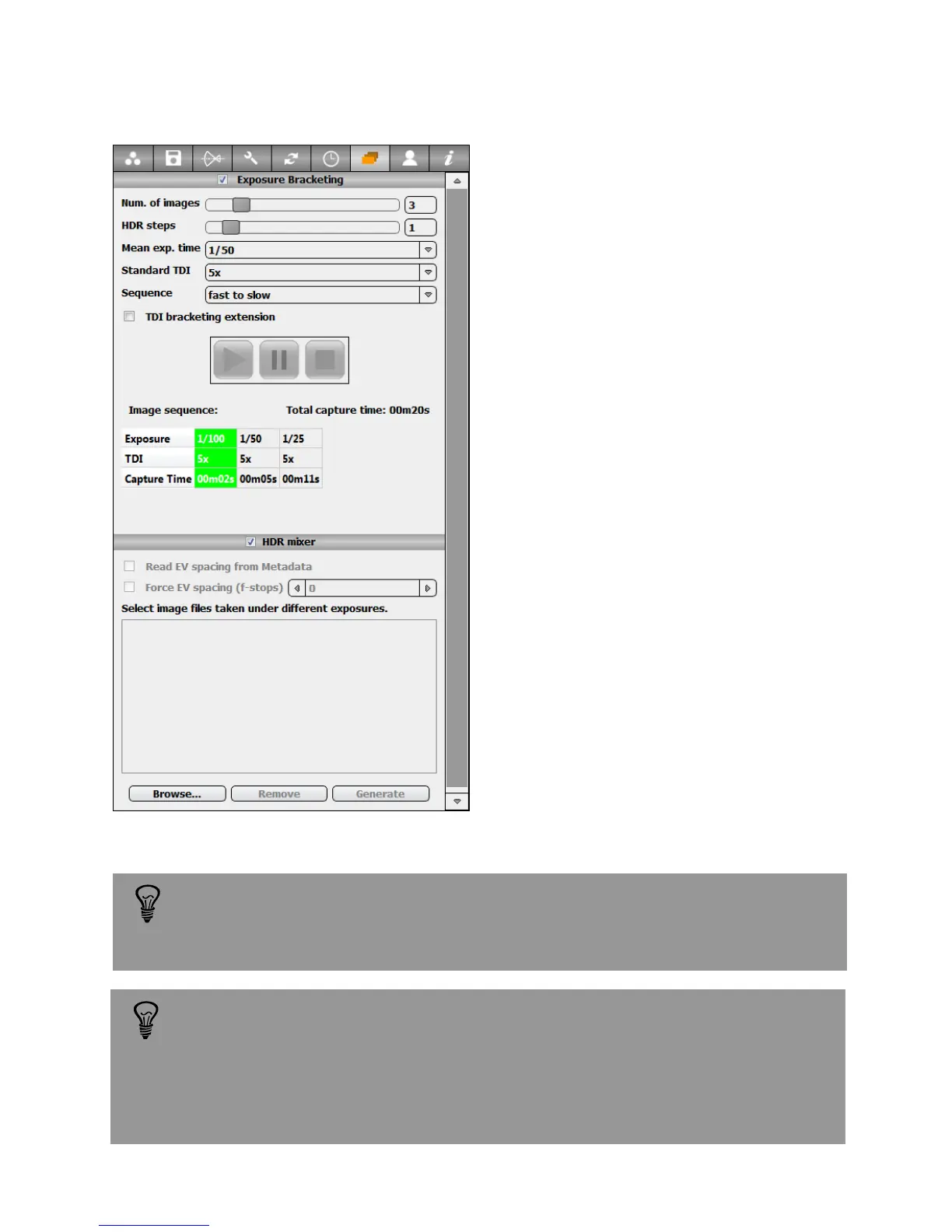
HDR mixer: this function merges
differently exposed images of the same
scene into a single 32bit EXR file. The input
files must be in DNG format.
Press “Browse” and select a set of
differently exposed images of the same
scene.
All the parameters necessary for
generating the HDR file are stored in the
image metadata (except for aperture - see
hint below).
Click “Generate”. The mixing of images
into the 32-bit HDR file takes a few
minutes, depending on image size and
number of images. The progress of the
mixing process is indicated by a
percentage progress bar.
The 32bit EXR file is saved according to
the selected image saving path.
Avoid changing the lens aperture from image to image because:
-The camera can move slightly creating a misalignment between images
- The depth of field changes between images
- The aperture information is not written in the metadata and has to be
corrected manually. This can be done by readjusting the exposure time
in a metadata editor like PhotoMe.
When using the exposure bracketing sequence the images are saved
automatically, no matter the selected saving mode. The images are
saved in the defined folder applying the selected naming options.
Instruction Manual Seitz 6x17 Digital - version 4.05 - May 2013- © by Seitz Phototechnik AG / Switzerland www.roundshot.ch page 42



 To Next Page