4.7 … use a USB GPS device (continued)
Make sure when unplugging and replugging the USB GPS device to
always use the same USB port. If not reload the USB driver for the new
port.
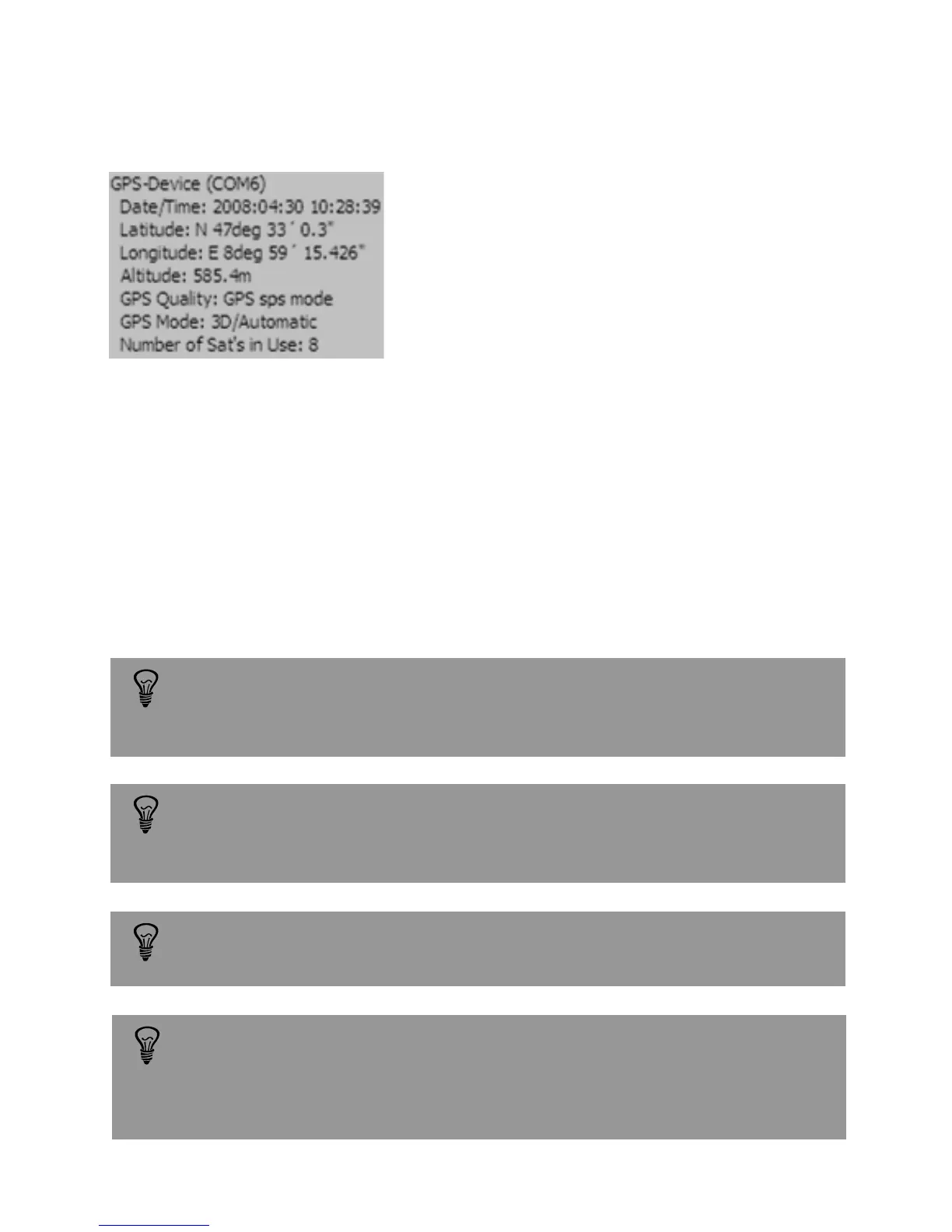
When the GPS device is connected to the
computer and the satellite signal is
received, a yellow GPS information tag is
displayed next to the green GPS status
symbol.
Once the GPS device is connected it automatically feeds the latitude and longitude of
the current camera position into the software. This data is then written to the
metadata / EXIF when saving a new image.
GPS devices use a uniform date/time standard which is always Greenwich
time (GMT) regardless of the time zone of the actual position. Therefore
the date/time of the GPS device may differ from the actual date/time.
Example: GPS data for Lustdorf / Switzerland
GPS data (latitude, longitude...) are saved with the image and can be
accessed by viewing the metadata.
The GPS position is written in the image metadata only if the GPS status
symbol is green. It is possible that even if the GPS device is connected the
GPS status symbol remains red. In this case the GPS device is not able to fix
a location and no GPS data will be saved in the image metadata.
Instruction Manual Seitz 6x17 Digital - version 4.05 - May 2013- © by Seitz Phototechnik AG / Switzerland www.roundshot.ch page 55



 To Next Page