SRL2
28
10 FM RADIO
10.1 FM Radio On / Off
To turn on the FM radio, press and hold the (-) Button for 1 second until
you hear mid-toned double beeps. You will then hear a voice prompt
saying “FM on”. In order to turn off the FM radio, press and hold the
(-) Button for 1 second until you hear a voice prompt saying “FM off”.
When you power it off, the SRL2 will remember the last station
frequency. When you power it on and turn on the FM radio, the last
station frequency will be playing.
10.2 Preset Stations
You can listen to preset stations while listening to the FM radio. Press
the Center Button for 1 second to go upward to your next saved preset
station.
10.3 Seek and Save
“Seek” is the function that searches for station to station frequencies.
To use the “Seek” function, please follow the procedure below:
1. Double tap the (+) Button to search up the radio stations or the (-)
Button to search down radio stations.
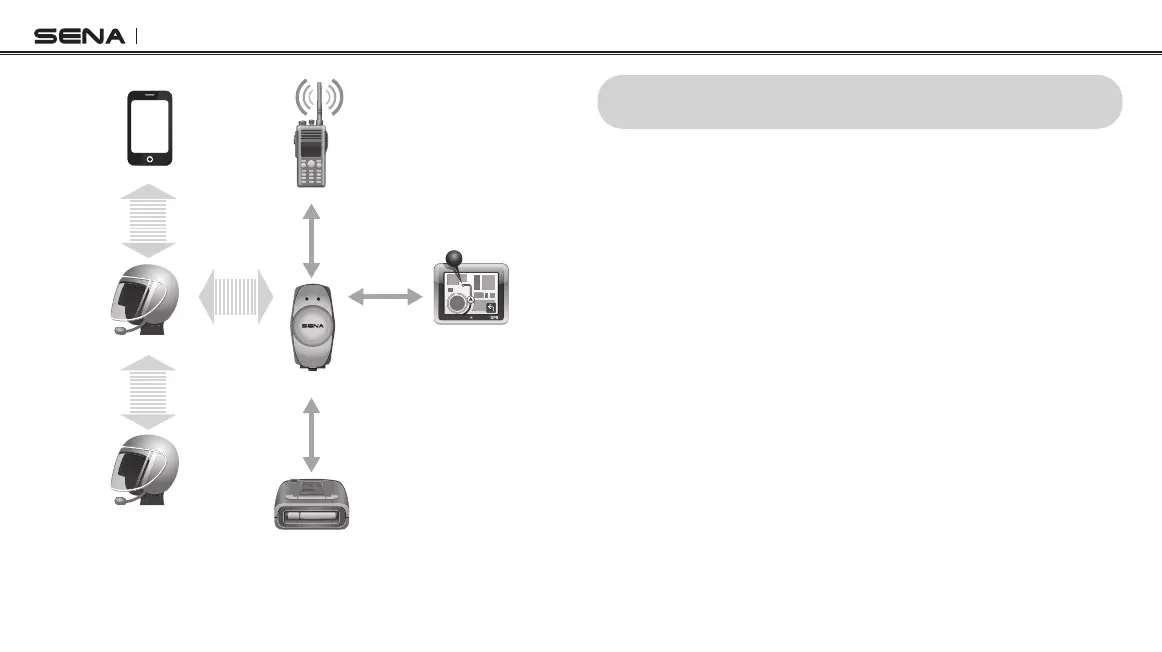
Intercom and Two-way Radio
Smart Phone
Two-way Radio
SRL2
GPS
Radar Detector
Mobile Phone
Pairing
Second Mobile
Phone Pairing
Intercom
Pairing
Audio fromAudio from
Two-way RadioTwo-way Radio
IntercomIntercom
WiredWired
ConnectionConnection
WiredWired
ConnectionConnection
WiredWired
ConnectionConnection
HFPHFP
++
A2DPA2DP
Intercom Friend
Sena SR10



 To Next Page