SRL2
9
English
2 INSTALLING THE SRL2 ON YOUR HELMET
SRL2 compatible SHOEI helmets can be found by scanning the QR
code of the product box.
2.1 Flip Up Helmet Installation
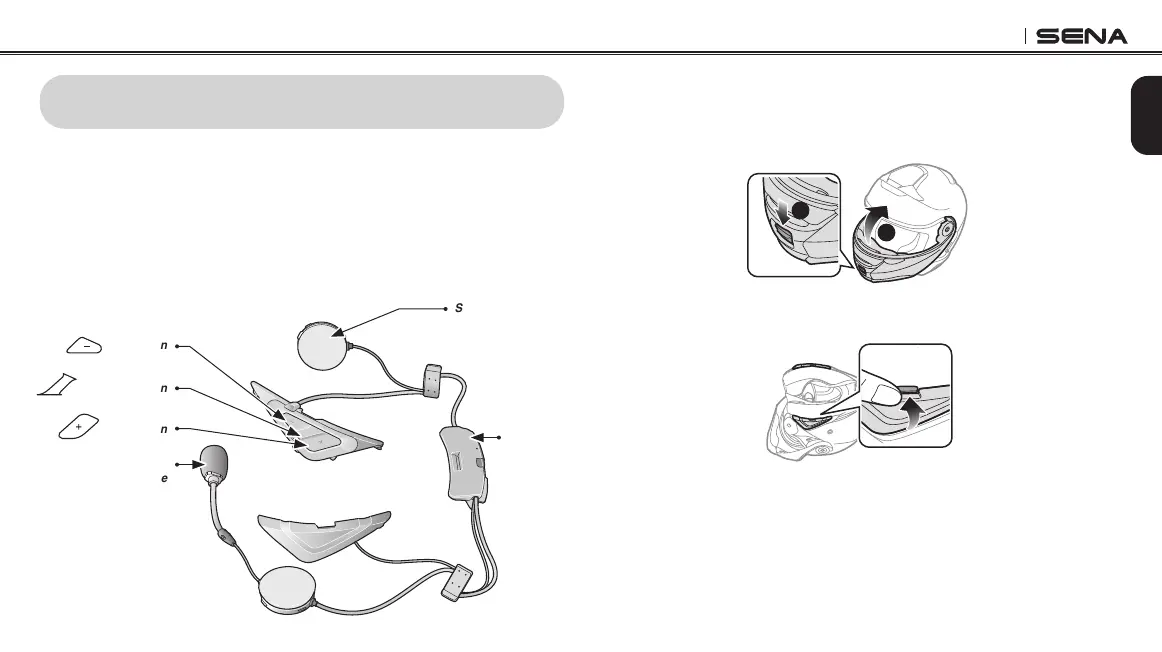
To securely install the SRL2 on the ip up helmet, please follow this
procedure.
(-) Button
Speaker
Bluetooth
Module
Center Button
(+) Button
Wired Boom
Microphone
2.1.1 Preparing the helmet for installation
1. Press the open cover button. While pressing the button, lift the
face cover completely.
1
2
2. Push the tab on the right cover with your thumb.



 To Next Page