SRL2
12
2.2 Full Face Helmet Installation
To securely install the SRL2 on the full face helmet, please follow this
procedure.
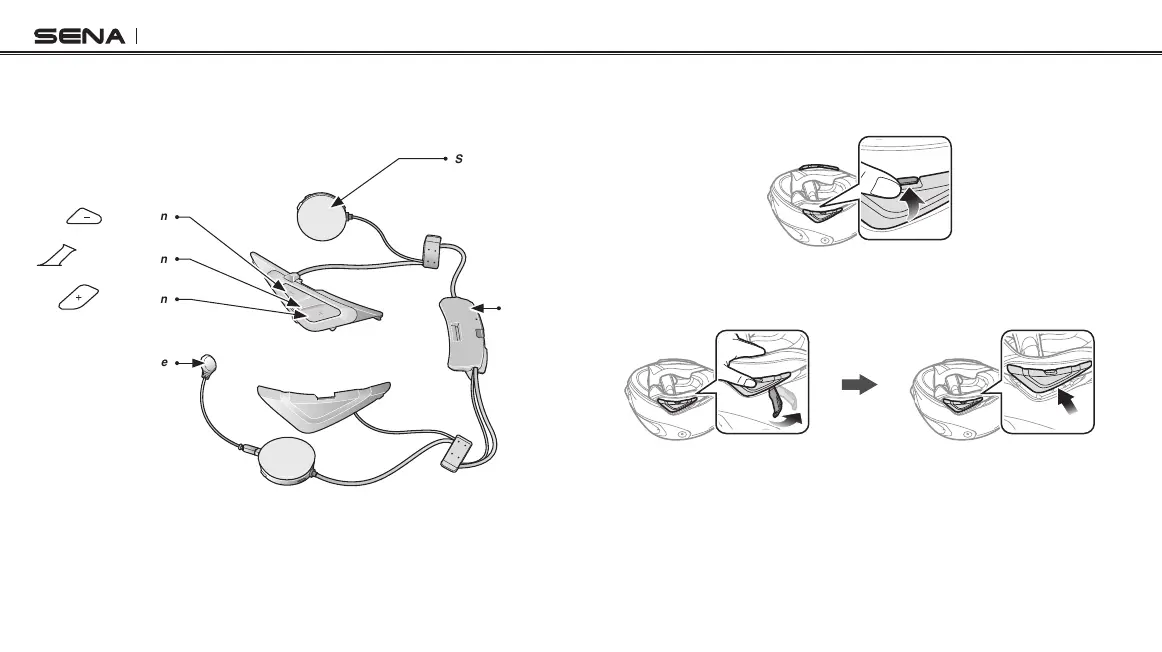
(-) Button
Speaker
Bluetooth
Module
Center Button
(+) Button
Wired Microphone
2.2.1 Preparing the helmet for installation
1. Push the tab on the right cover with your thumb.
2. While pushing the tab, insert the service tool into the groove and
push to remove the cover.
3. Repeat the process on the other side to remove the left cover.



 To Next Page