Stryker Motorcycle Bluetooth
®
Helmet with Mesh Intercom™ | 17
2 WEARING THE HELMET
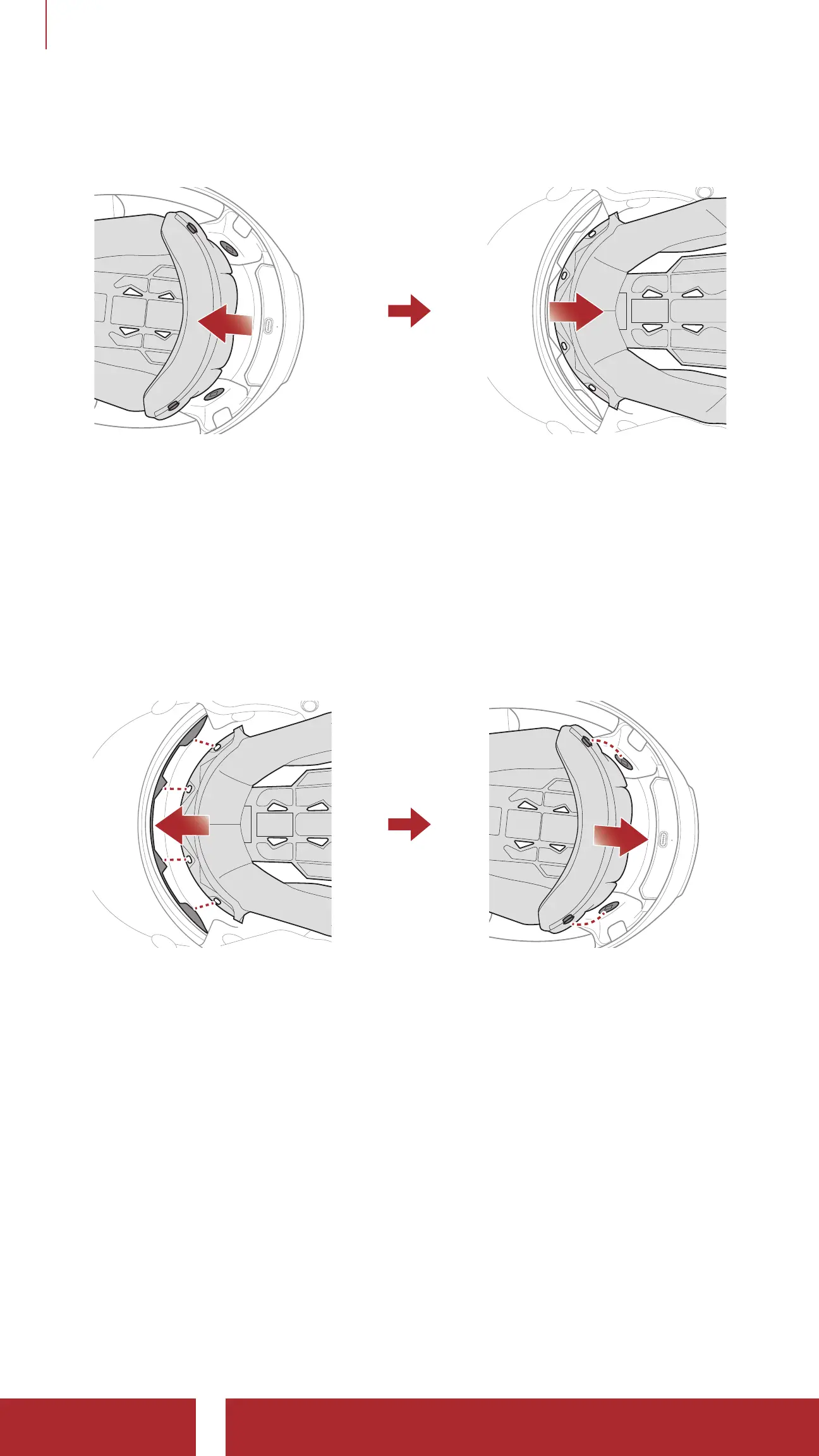
2.10 Removing the Inner Pad
1. Unsnap the two inner pad rear fasteners.
2. Lift the pad upward and place your fingers under the plastic plate in
the front section. Then, remove the plate by pulling it away from the
front of the helmet.
2.11 Installing the Inner Pad
1. Align and install the plastic plate on the four sleeves of the front
section.
2. Snap the two inner pad rear fasteners into place.



 To Next Page