Stryker Motorcycle Bluetooth
®
Helmet with Mesh Intercom™ | 24
4 PAIRING THE BLUETOOTH SYSTEM WITH OTHER BLUETOOTH DEVICES
2. Select Stryker in the list of Bluetooth
devices detected. If your mobile
phone asks for a PIN, enter 0000.
Device B
Pi
Bluetooth
Note:
• The phone paring mode lasts for 3 minutes.
• To cancel phone pairing, tap the Center Button.
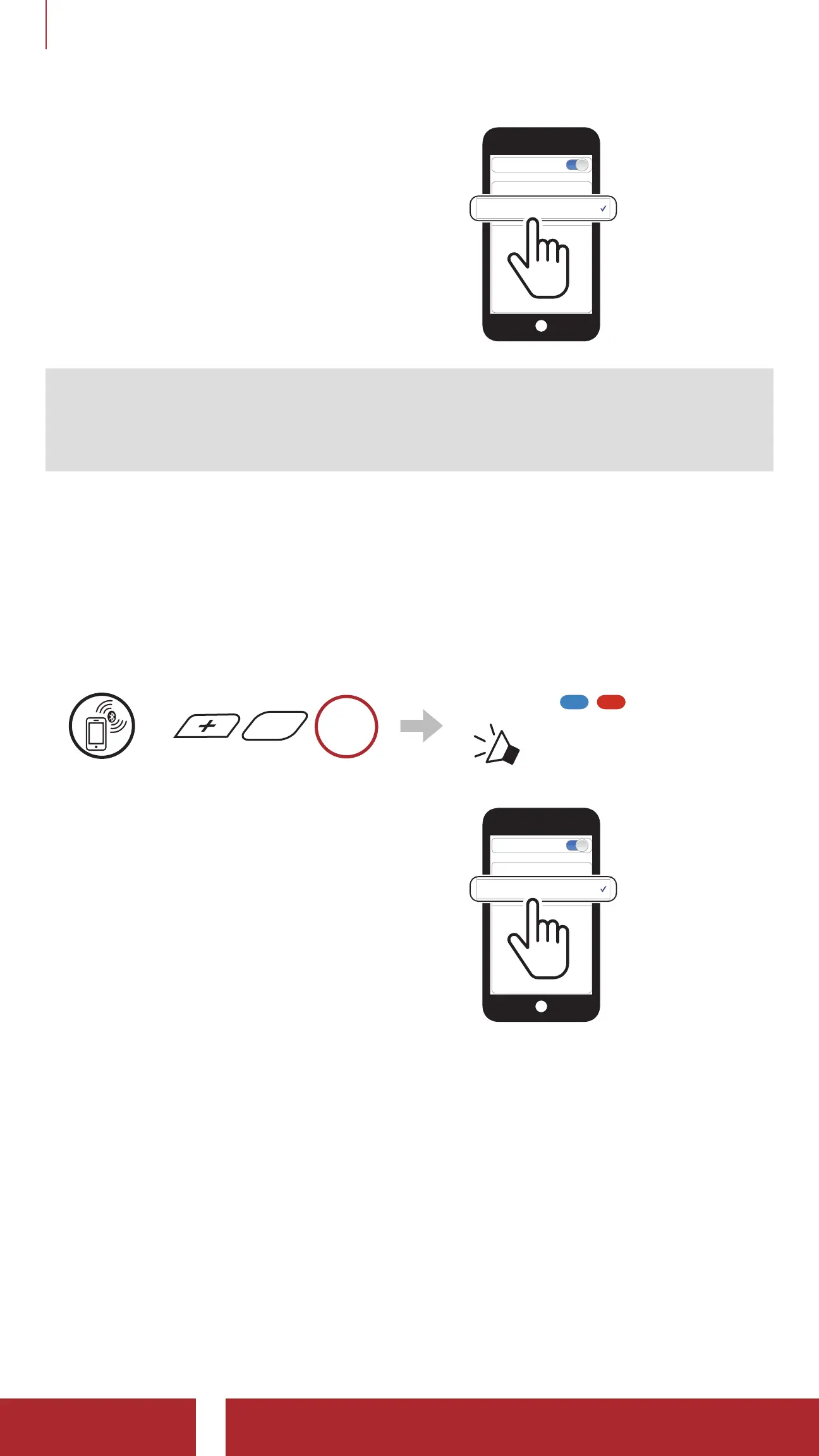
4.1.2 Pairing When the Stryker is Turned Off
1. While the Bluetooth system is off, press and hold the Center Button
and the (+) Button until the LED flashes red and blue alternately and
you hear a voice prompt, “Phone pairing”.
=
HOLD
Blinking
“ Phone pairing”
2. Select Stryker in the list of Bluetooth
devices detected. If your mobile
phone asks for a PIN, enter 0000.
Device B
Pi
Bluetooth



 To Next Page