Stryker Motorcycle Bluetooth
®
Helmet with Mesh Intercom™ | 36
7 MESH INTERCOM
Note:
• If the Mesh Grouping is not completed within 30 seconds, users
will hear a voice prompt, “Grouping failed”.
• If you want to cancel during the Mesh Grouping, tap the Mesh
Intercom Button.
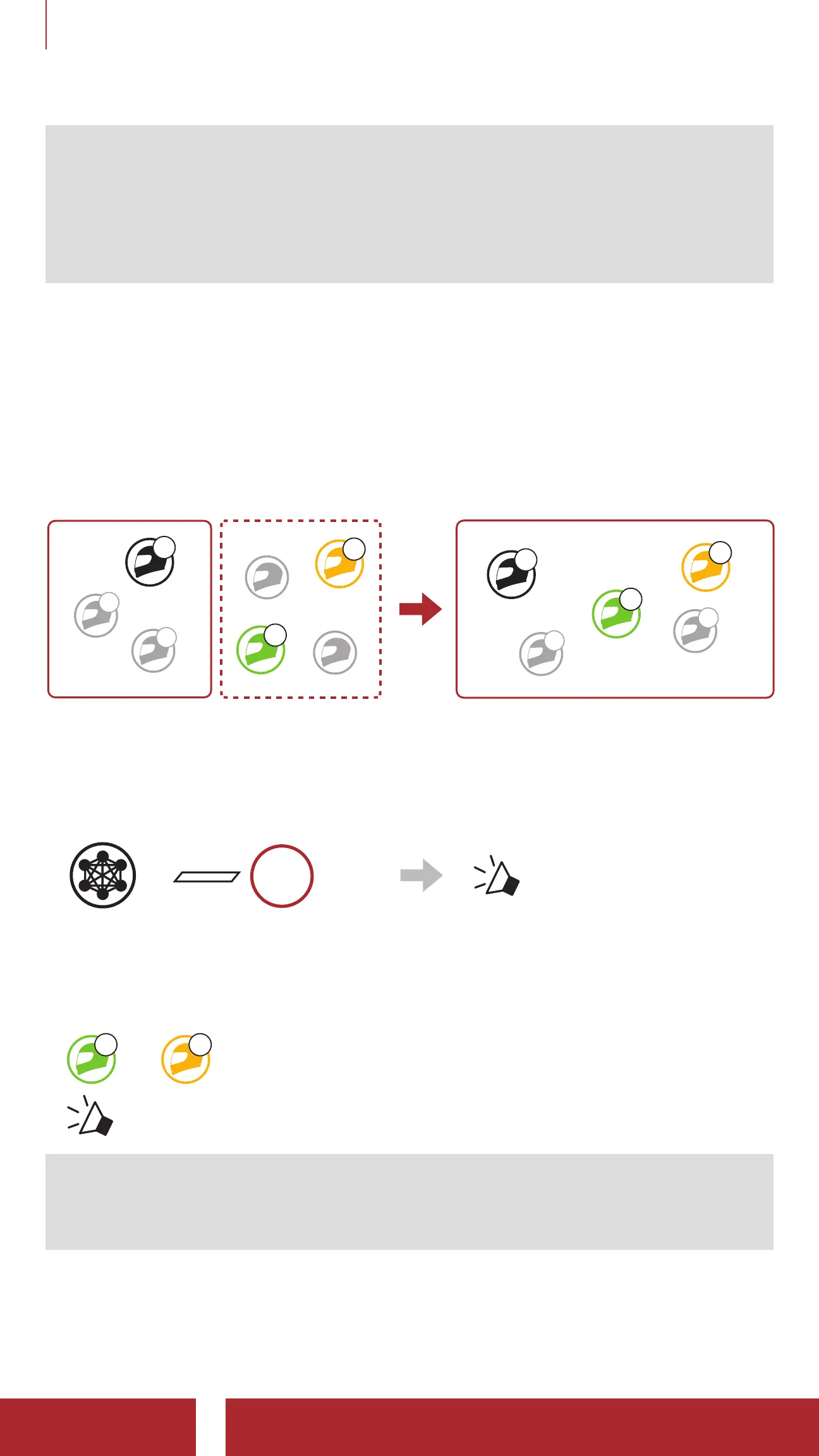
7.4. 2 Joining an Existing Group Mesh
One of the current users in an Existing Group Mesh can allow new
users (one or more) in Open Mesh to join the Existing Group Mesh.
Existing
Group Mesh Open Mesh Existing Group Mesh
D
F
B
C
You
D
F
B
C
You
1. To enter Mesh Grouping to join the Existing Group Mesh, press
and hold the Mesh Intercom Button for 5 seconds on the Bluetooth
systems of one (You) of the current users in the Existing Group
Mesh and the new users (D and F) in Open Mesh.
=
5s
HOLD
“ Mesh grouping”
2. When Mesh Grouping is completed, the new users (D and F)
will hear a voice prompt on their Bluetooth system as Open Mesh
switches to Group Mesh.
FD
“ Group Mesh”
Note: If the Mesh Grouping is not completed within 30 seconds, the
current user (You) will hear a low tone double beep and the new users
(D and F) will hear a voice prompt, “Grouping failed”.



 To Next Page