Stryker Motorcycle Bluetooth
®
Helmet with Mesh Intercom™ | 46
8 BLUETOOTH INTERCOM
Note:
• The audio quality will be reduced if a Stryker connects to 2 or
more Bluetooth intercom friends while in Open Mesh or Group
Mesh when using Mesh Intercom.
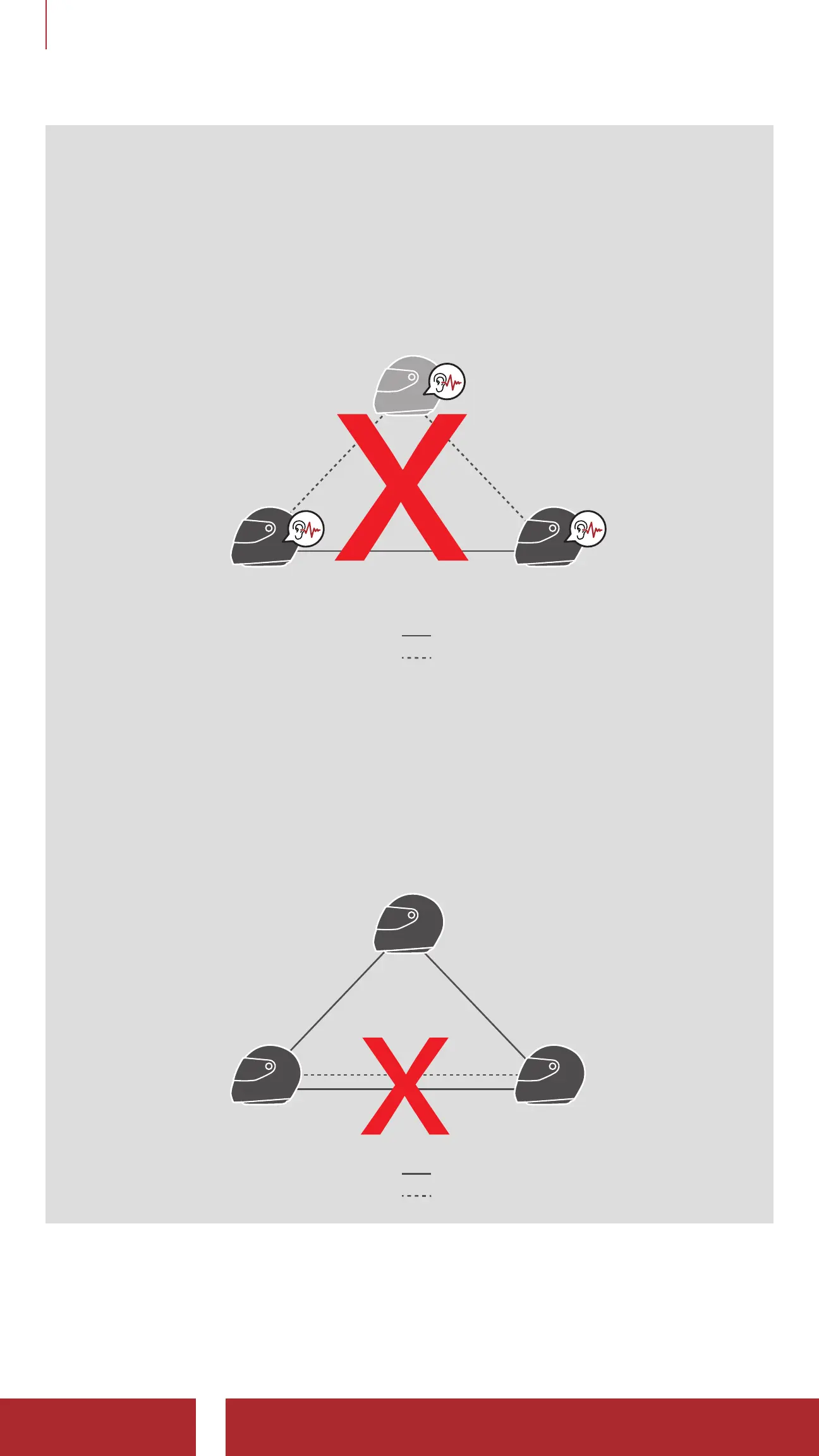
• If a closed loop is created, as shown below, each user will
experience severe noise issues. Sena recommends that a closed
loop not be created.
Sena Bluetooth System
Stryker Stryker
Mesh Intercom
Bluetooth Intercom
• If Bluetooth intercom is accidentally turned on during Mesh
Intercom communication between Stryker Bluetooth systems,
as shown below, you will hear a voice prompt, “Mesh intercom
disabled. Bluetooth intercom connected” every 1 minute. If you
turn off the Bluetooth Intercom or turn off the Mesh Intercom, the
voice prompt will no longer come out.
Stryker
Stryker Stryker
Mesh Intercom
Bluetooth Intercom



 To Next Page