Using the “Conference Manager” software
204 | ADN Digital Conference System
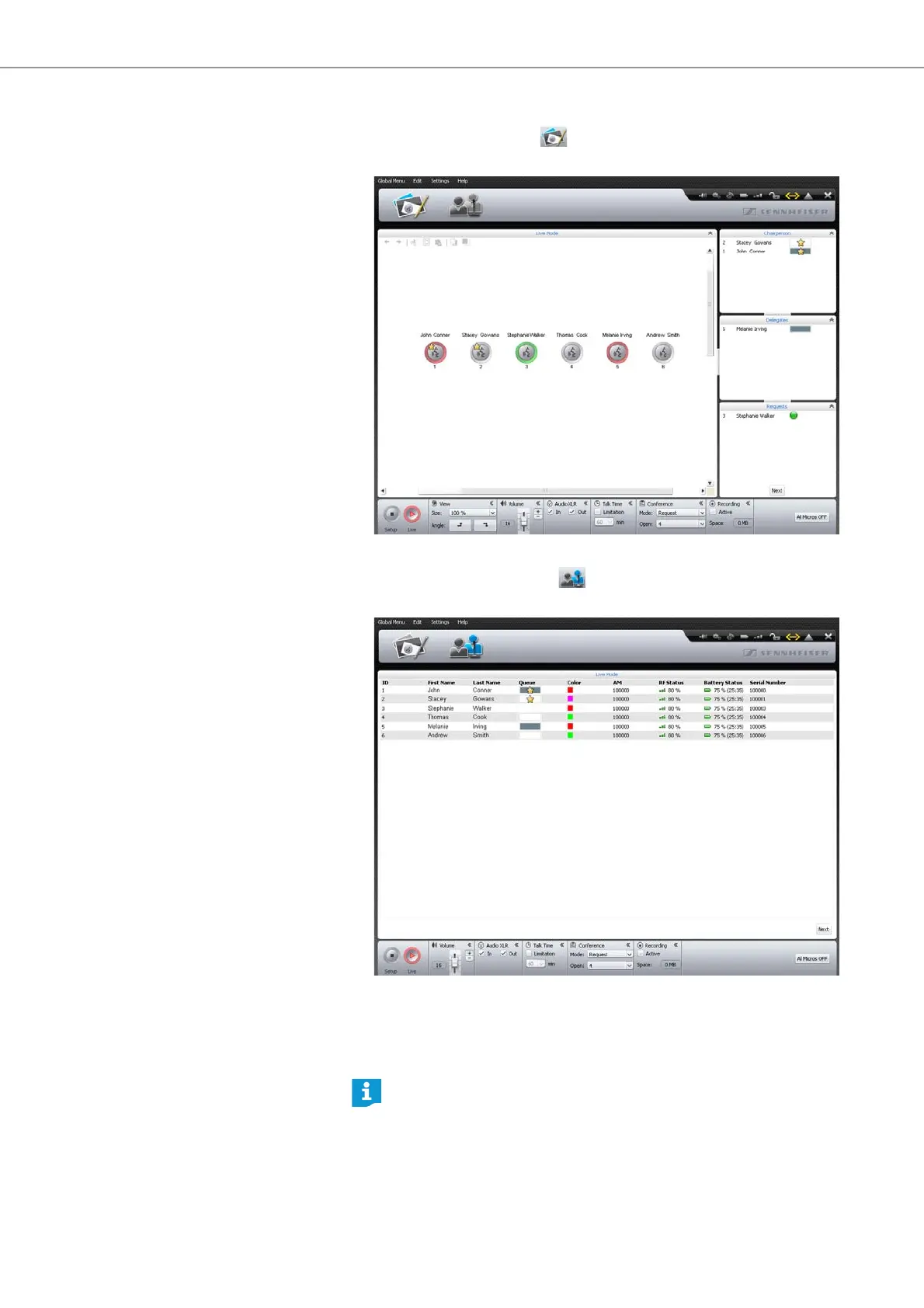
To open the Room View window in “Live” operating mode:
왘 Click the Room View button .
The Room View
window appears:
To open the Delegate View window in “Live” operating mode:
왘 Click the Delegate View button .
Th
e Dele
gate View window appears:
Using the software for controlling a
running c
onference
If you want to use the software for controlling a running conference:
왘 Load the configuration of the running conference
(see page 156).
The software switches to “Live” operating mode. All active conference units
remain active and all requests to speak are retained.
If you have activated automatic loading of a configuration, the configura-
tion is automatically loaded in “Live” operating mode (see page 157).



 To Next Page