Io
SENSOR
3 Docking Station & PC Software Operations
SMT-200 Operations and Technical Manual 2.00/R1
39
3.3 Docking Station PC software introduction
The Docking Station software allows you to:
• Download the data file from the SMT-200.
• Synchronise the SMT-200 date and time with PC’s date and time.
• Upload SMT-200 configuration and specifications files.
• Upload SMT-200 software upgrades.
3.4 Software installation
The program can be run under Windows 3.xx, Windows 95 / 97 or DOS 5.0 or higher. The program
will not function when run with Windows NT.
3.5 Windows installation
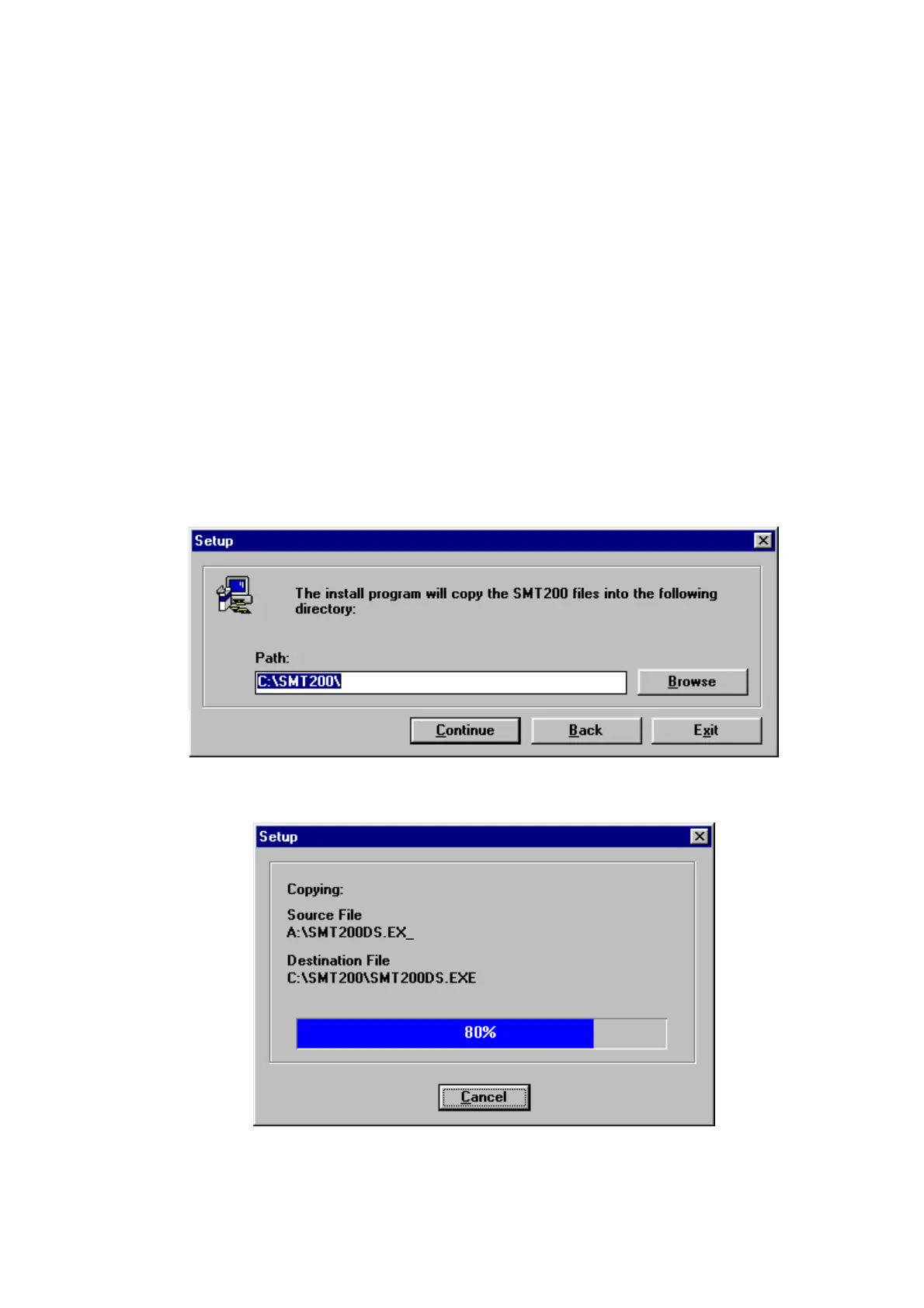
This is the preferred installation method (example shown is for a Windows 95 installation).
1. Insert the Disk into drive A:
2. In Windows, choose Run from the Start (or file) menu, type a:\setup and click OK.
3. You will be prompted for the directory to install to. Click Continue when done.
4. The required files will be decompressed and copied to the hard disk.


 To Next Page