Section 3 Docking Station & PC Software Operations Io
SENSOR
40
SMT-200 Operations and Technical Manual 2.00/R1
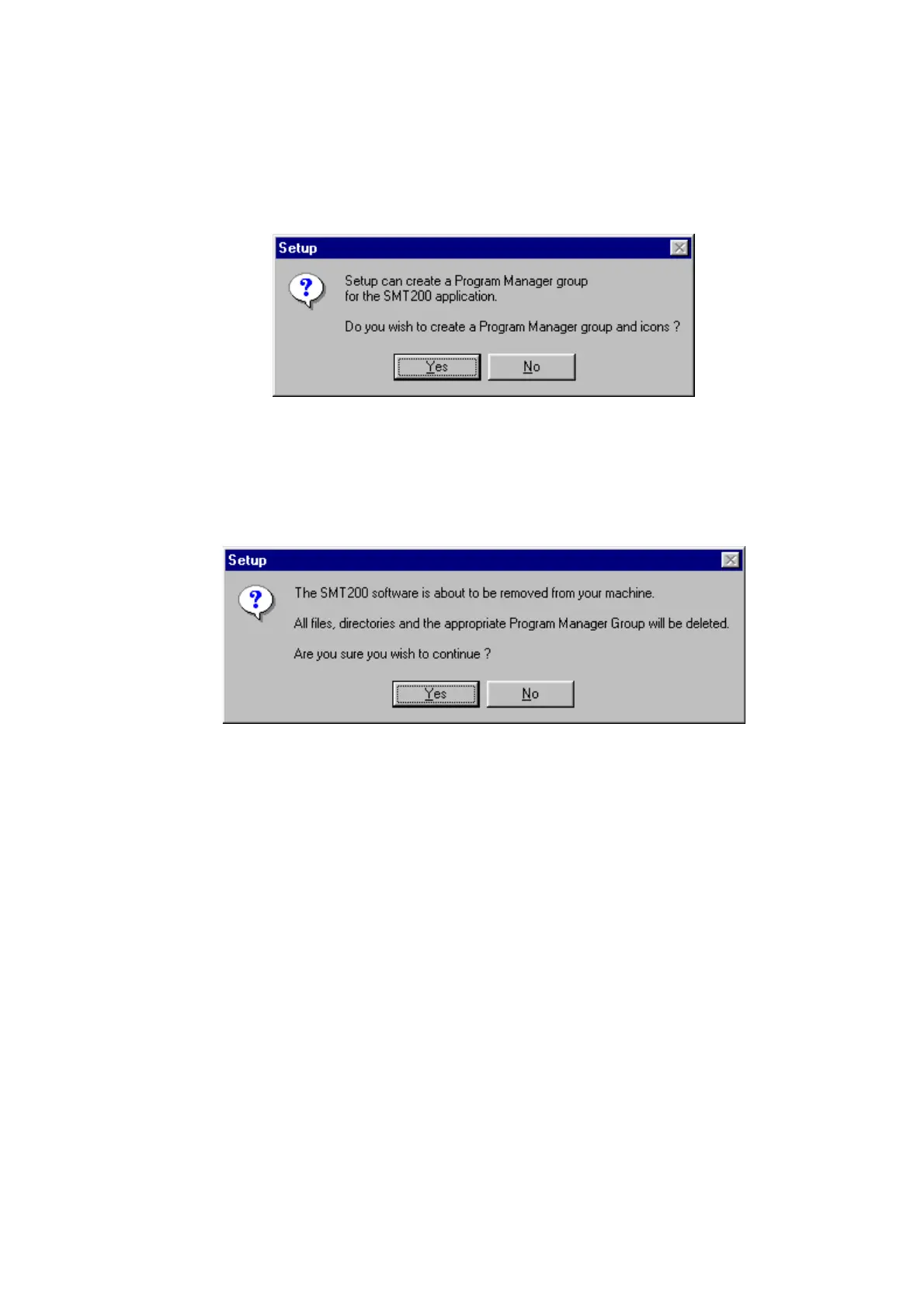
5. You will be asked if you want create a Program Manager Group. It’s strongly recommended to
have a Program Manager group. This will make it easier to start and un-install the program at a
later date if required.
3.5.1 Windows un-install
If the software needs to be removed from the hard disk use the following procedure.
1. Select the Un-Install from Windows SMT200 menu option.
This will remove all the SMT-200 Docking Station software components apart form the DATA directory
and file transfer history files.
3.6 DOS installation
1. Insert the Disk into drive A:
2. Type A: Return
3. Type INSTALL Return
4. Follow the instructions on the screen. The prompts will be similar to the windows installation.
3.6.1 DOS un-install
The program files need to be removed manually using the DOS comands Del and RMdir. Please
consult your DOS manual for further details. Note SMT-200 data is stored in a separate directory.


 To Next Page