3–18 Sensus Metering Systems
Chapter 3: Find Route Information
To find marked locations...
1 Open a route.
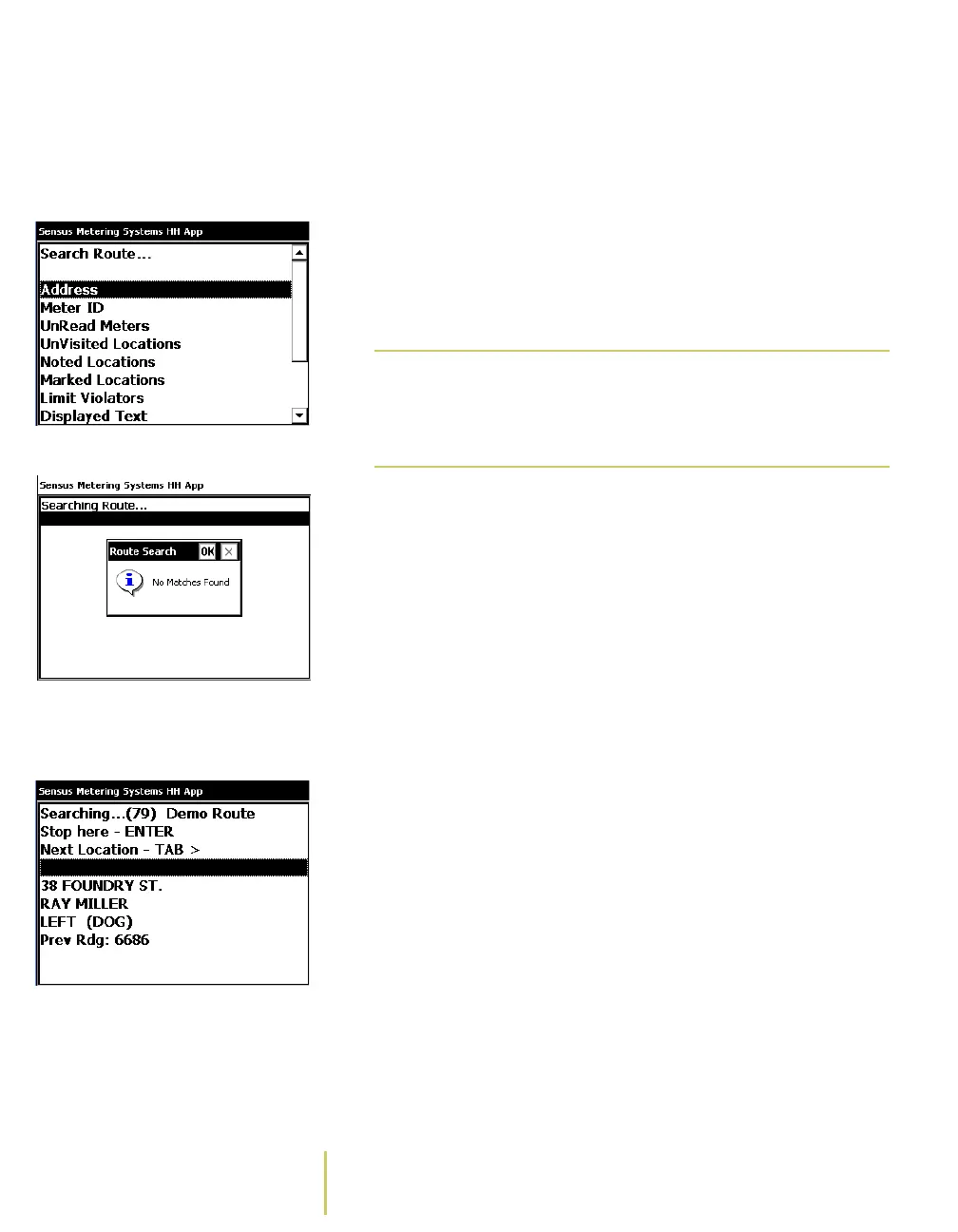
Search Route... Menu See
Start Collecting Data
on page 2-2 for instructions on
opening a route.
2 Press the F3 key.
The system displays the Search Route... menu.
3 Use the PgUp/PgDn key to select Marked Locations.
4 Press the ENTER key.
The system displays the results of the search.
• If the system cannot find the information you entered,
then the screen displays a No Matches Found message.
No Matches Found Message Press the Esc key to clear the No Matches Found
message and end the search.
Search Results Screen • If the system finds more than one match for the
information you entered, the screen displays the first
match, along with the following choices:
Stop here - Press the ENTER key to stop the search on
the displayed location.
Note
F3 is the default key assignment for the Search
menu. Key assignments can be changed. For
more information, see About the Key
Controls/Functions.



 To Next Page