MS 7000 | DIAVASO Datalogger User Manual | 05/05/2017
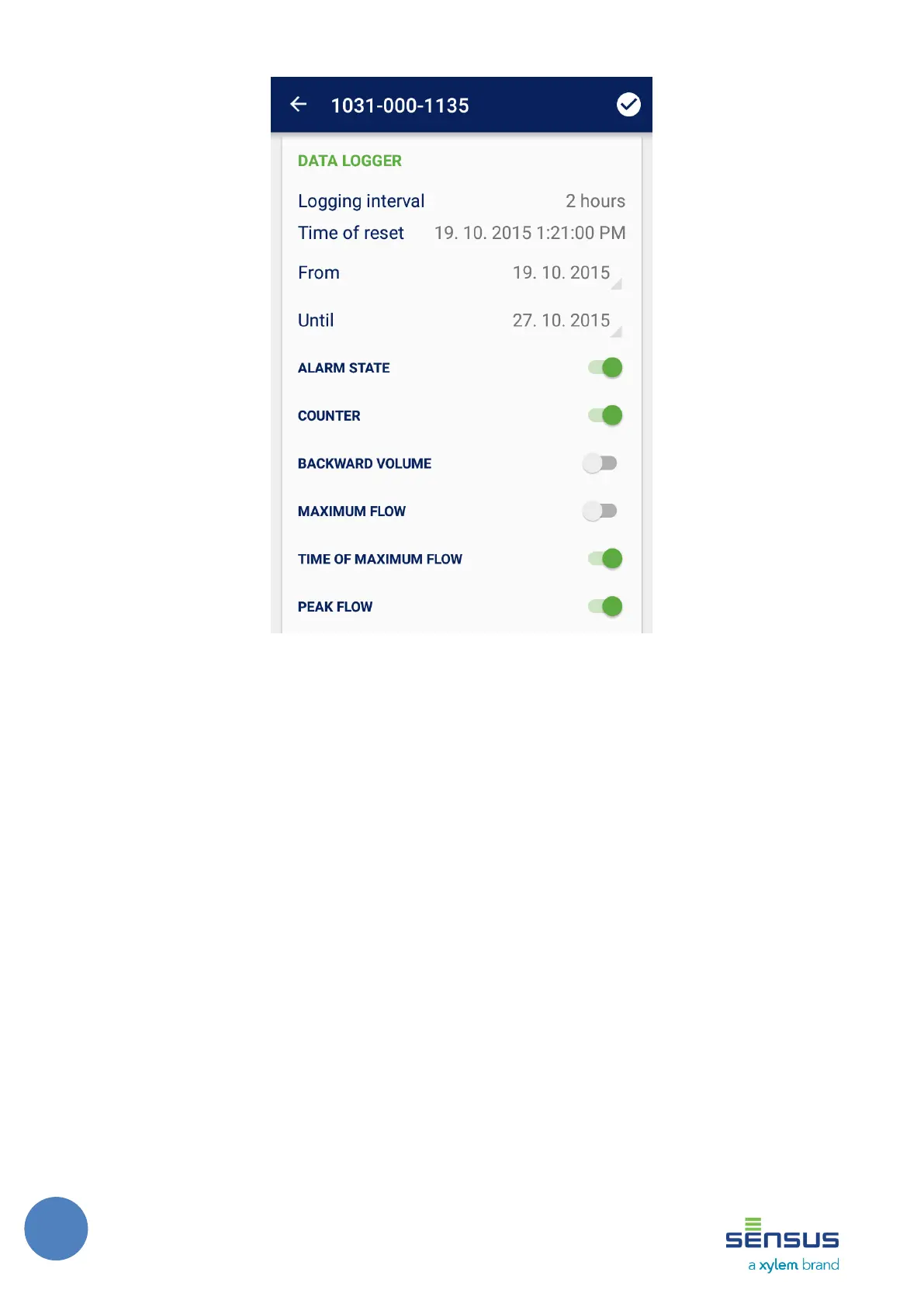
FIGURE 16: LOG SCREEN
The screen is divided into two sections, one for Data logger and another for Fixed date
reading. Information about current log related status of the meter and log controls is shown in
both sections.
The Data logger view shows the current Logging interval and Time of last reset time values.
The Fixed date reading view shows the current Day of month and Time of last reset time
values.
In both sections, the user can set the time interval for which the log data will be downloaded
using the From and Until date pickers. All the available log data will be gathered by default – the
From date is set to last reset time and Until date is set to current date. Below, all the available log
counters that are configured for the selected meter are shown. By default all the counters are
switched on and related data will be downloaded.
The log download starts when the Apply button on the right side of the header is pushed. The
application communicates with the meter and collects the desired data in the background. The
download process may take a while and the user is informed about the progress as can be seen on
the Figure 17. The status section shows which log data is being gathered and the user can see
what counters were already processed and which ones is being processed right now.



 To Next Page