11436 Sorrento Valley Road • San Diego, CA 92121 • www.sequal.com • 858.202.3100
17
Troubleshooting Guide
Troubleshooting Guide
7. System Malfunction
Eclipse has a RED LED FLASHING and ALARMING CONTINUOUSLY, and the unit is
NOT running
A. To shut off the alarm, remove all power sources (external power source – AC or DC), and
the Power Cartridge, for a minimum of 15 seconds.
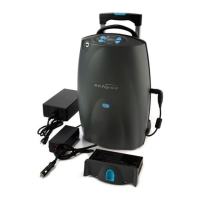
B. Plug in external power (AC or DC) into the outlet, and ensure that the power cord is plugged
in the AC Adapter securely.
C. Is the LED on top of the AC or DC Adapter lit, (YES or NO)?
i. If “YES” go to Step D
ii. If “NO”: ensure there is power to the AC outlet.. If not, find a working outlet for Eclipse.
If the LED still is not lit, then the adapter may have a fault. Exchange out the item for
evaluation and possible repair..”
iii. What color is the LED (RED or GREEN)?
iv. Red – The voltage for the electrical outlet may not meet the requirements for Eclipse.
Insure there is adequate power to that outlet (e.g.; outlets that are controlled by a wall
or dimmer switch should not be used)
v. Green – The AC or DC Adapter is working within its normal limits. Proceed on to Step
D
*NOTE: Continue to use the Eclipse, if Eclipse alarms again contact your provider for further instructions.
Continued on Next Page Æ


 To Next Page