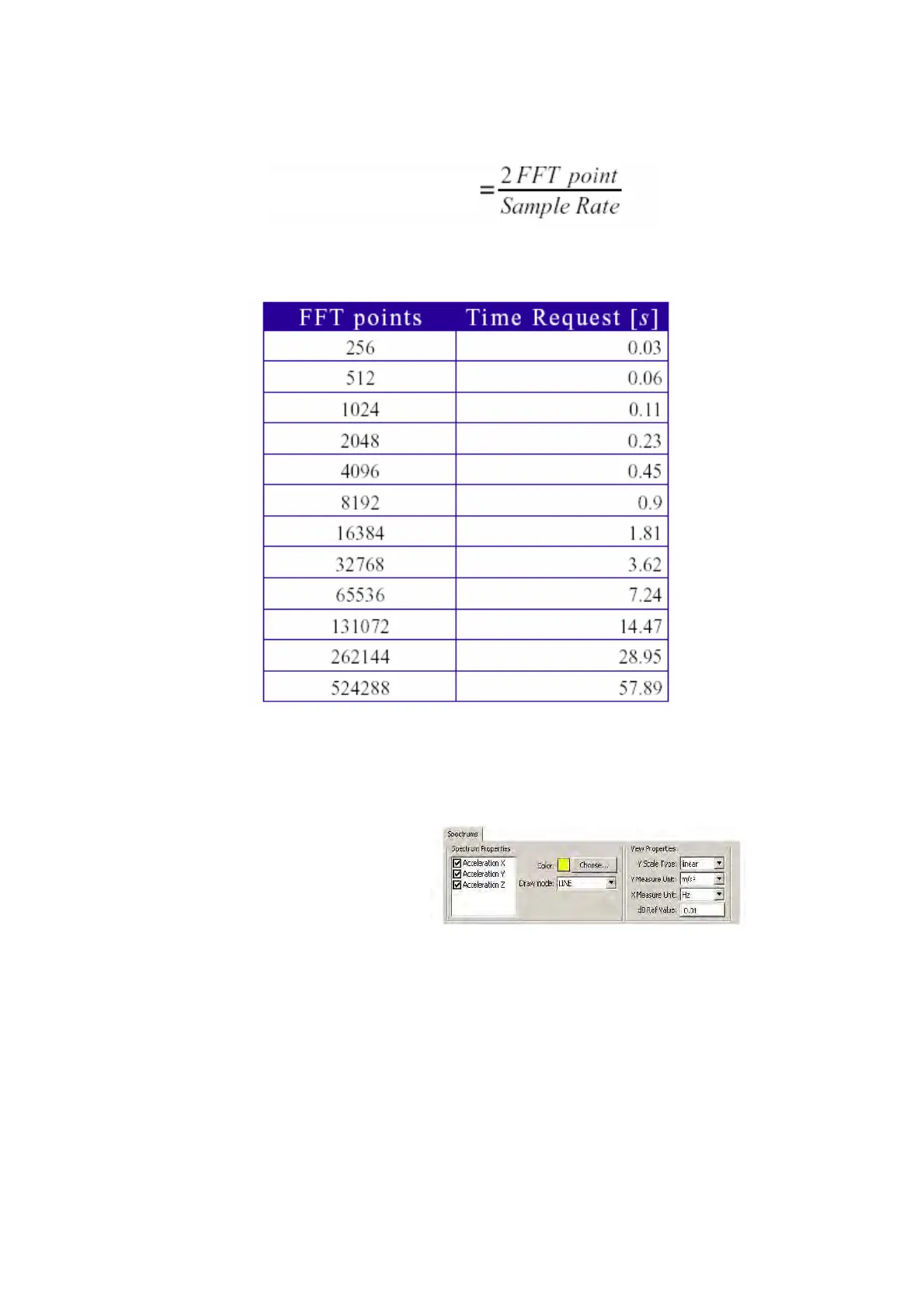
For the correct assessment of the time needed to acquire 2 * FFT points, use the following relation:
The table below shows the acquisition time needed for a given number of FFT points considering a
sampling speed of 18113.21 samples/s.
3.5.3.1 Frequency: selection of displayed values
To select the track to be displayed, proceed as follows:
Settings>Track
FTAnalyzer: Selection of tracks and display parameters – frequency
You can select the analysed event, the colour and type of line for display by using the check boxes.
3.5.3.2 Frequency – scale changes: dB, linear
The software makes it possible to change scales and frequency spectrum diagram values, in
particular:
Y Scale Type: to set the type of scale (linear; dB);
Acquisition time


 To Next Page