27
© Setra Systems, Inc. All Rights Reserved. The Setra Systems name and logo are registered trademarks of Setra Systems, Inc.
Operation
3.5.7 Using BACnet Setpoint Overrides – Home Screen
When BACnet Setpoints Override is fully congured and
operational, the parameter’s badge on the Home screen
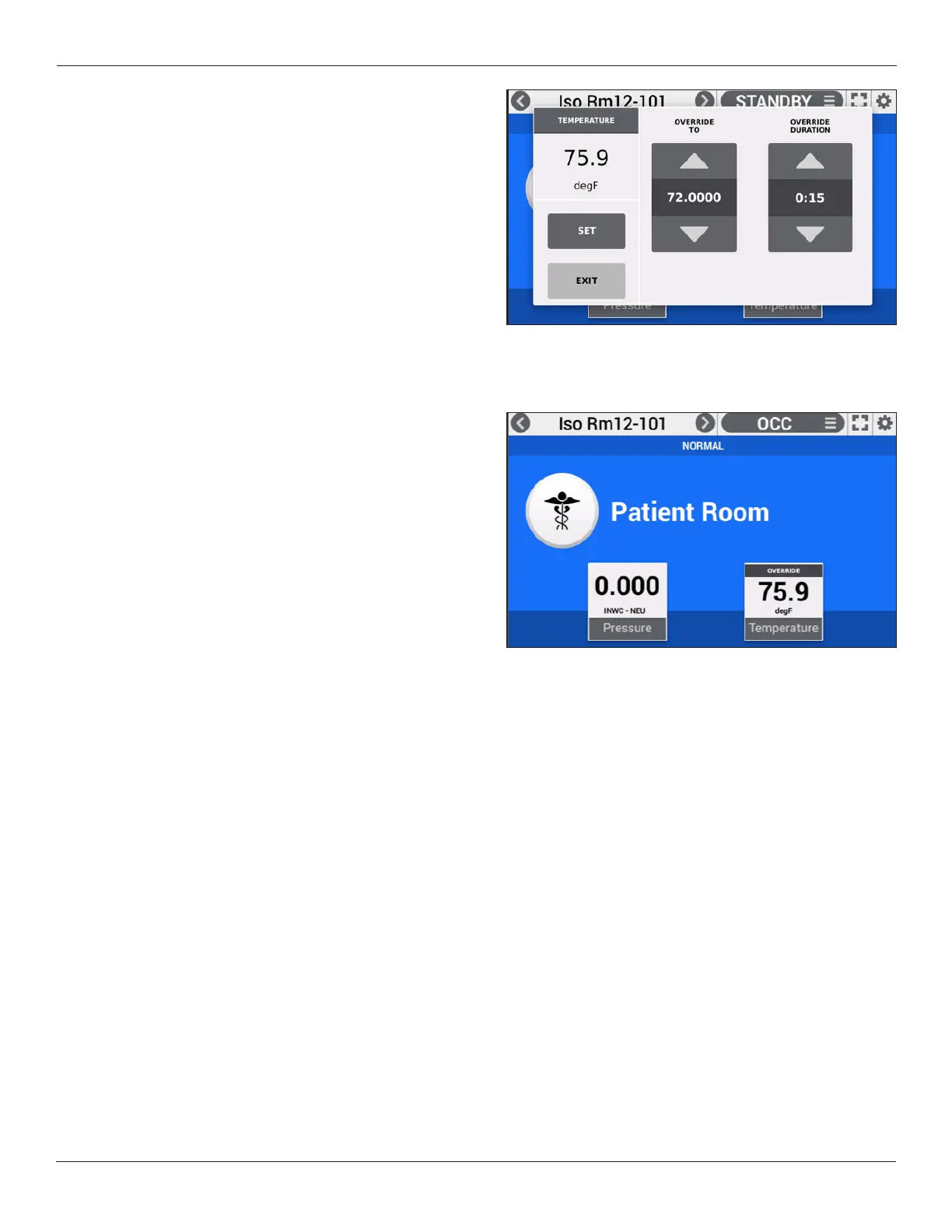
will permit Control operation. Pressing the badge will bring
up the parameter override screen.
There are several elements on this screen:
• Top-left – the present parameter value
• SET – the function which applies the desired changes
on this screen
• EXIT – the function that exits the screen, whether SET
has been applied or not
• OVERRIDE TO – the new setpoint requested by the user.
Use arrows or press value for keyboard entry.
• OVERRIDE DURATION – the requested time for the
override period to run. Increments by 15 minutes. Use
arrows or press value for keyboard entry. When pressing
down-arrow from 0:15, “HOLD” appears, indicating
permanent Override Duration (until user accesses the
function again to change it). When a time duration is
applied, and Override Duration expires, original setpoint
is restored.
• CANCEL OVERRIDE – at any time the user may cancel
the Override To value, and the original setpoint is
restored.
ThevaluescanbemodiedusingUP or DOWN arrows, or
by pressing the number in the middle of the UP or DOWN
arrows and using keyboard entry. Use SET, to make the
new values take effect. If SET is not used, and EXIT is
pressed instead, no change is made.
OVERRIDE DURATION is only available when using Control
via BACnet Setpoint Override.
When Override is applied, the badge will indicate
“OVERRIDE” until the Override Duration expires or if Cancel
Override is applied.


 To Next Page