
 Need help?
Do you have a question about the Setra Systems Flex and is the answer not in the manual?
Defines the FLEX unit's purpose and critical environments it serves.
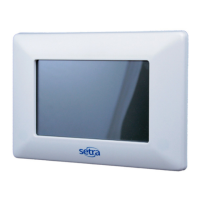
Describes the FLEX unit's primary user interface for monitoring and operation.
Explains FLEX unit's communication protocol and network integration capabilities.
Lists components the installer must provide for FLEX unit installation.
Lists components provided with the Setra FLEX unit upon purchase.
Details the process for safely unpacking the FLEX unit.
Provides a general guide to installing the FLEX unit and its components.
Guides through the initial setup process for the FLEX unit.
Explains the menus for configuring FLEX unit operating parameters.
Details network settings for BACnet/IP and BACnet MS/TP communication.
Describes how to configure hard-wired sensors and physical inputs/outputs.
Configures analog outputs and relays for FLEX unit control functions.
Details how to test inputs and outputs using the Diagnostics menu.
Guides setting up control assignments and presets for equipment.
Configures room display, name, and default profile on the Home screen.
Explains setting up multiple FLEX units to monitor a single room.
Defines alarm limits and thresholds for parameters on the Home screen.
Defines custom room profiles with names, icons, and presets.
Configures Home screen behavior, including fullscreen and carousel modes.
Defines global alarm functions like latching, audible alarms, and mute timeout.
Sets up password protection for FLEX unit functions.
Provides system, network, and I/O testing functions.
Tests network connectivity and IP address status.
Provides functions for calibration, configuration backup, and updates.
Calibrates the pressure sensor for accurate room pressure readings.
Captures and restores FLEX unit configuration via USB.
Sets the unit's date and time, and display customization.
Resets the FLEX unit to its original factory default settings.
Displays FLEX unit model, serial number, and firmware information.
 General
| Brand | Setra Systems |
|---|---|
| Model | Flex |
| Category | Control Unit |
| Language | English |

 To Next Page
