Configuration
Doc. # 177/52701
Rev. 3.3
Battery Current Limit
Battery current can be limited by the controller for the purposes of efficiency or to protect
batteries that are sensitive to high levels of current flow. Charge and discharge currents can be
limited independently.
If limiting the discharge current flow, this can extend the time taken for the vehicle to reach top
speed. Note that limiting the charge current flow back to the battery can impede the performance
of regenerative braking.
Object 2870
h
controls how the battery current limit is calculated. Sub-index 1 of this object can
be set to one of the following values to specify how the current limit behaves:
Master control of battery current limit disabled. To completely disable battery
current limit, object 4623
h
sub index 3 must also be set to 0x0000.
Battery current limit set by object 4623
h
sub index 2 and 3.
Battery current limit controlled by compatible BMS
Battery current limit set by object 4623
h
sub index 2 and 3, but the drive current
limit is multiplied down by factors set in sub index 4 and 5 when driveability profiles
are activated
Battery current limit is calculated to maintain a power limit as set in sub index 6 and
7.
Object 2871
h
provides a means to have TracApp cut back the torque demand in situations where
the battery current limit is reduced. This is useful for configurations where an external BMS can
cut back the current limits to low levels. Effectively, it prevents TracApp requesting torque that
cannot be achieved.
Object 4623
h
shows the current limits that are in effect. Sub index 3 of this object allows you to
specify the cutback aggressiveness and a measurement correction factor. Setting this to zero.
Battery current flow can be monitored at object 5100
h.
Note that regen currents flowing back to the battery are specified as negative numbers.
Displays
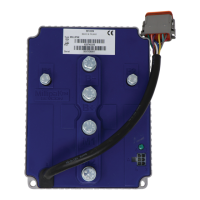
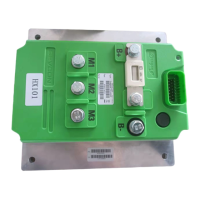
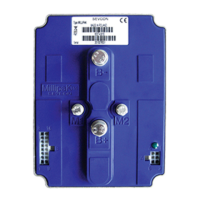
Gen4 is compatible with Smartview and Clearview displays.
Clearview displays use the CANopen protocol. To use, set up TPDOs to transmit the required
data for the display.
Smartview displays use Sevcon’s proprietary CAN protocol. To use set the CAN baudrate to
100kHz at 5900
h
, enable Smartview and select hours counter and/or real speed at 2E00
h
.


 To Next Page