59
5 Charging the remote control
5 Charging the remote control
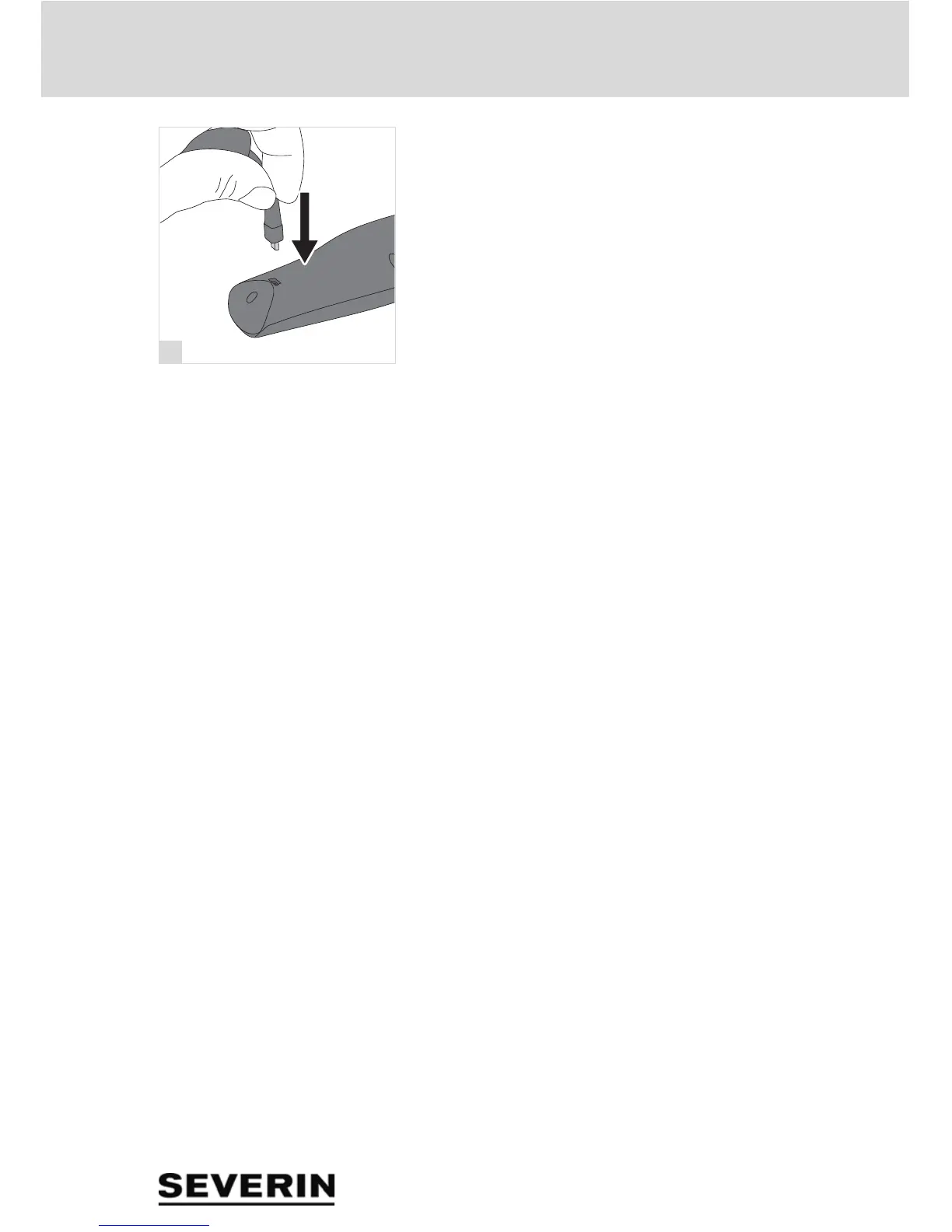
1. Connect the supplied USB cable to the remote control.
2. Connect the USB cable to a USB port.
– The LED indicator lights up and indicates that the remote
control is being charged.
– After approximately 30 minutes, the remote control is ful-
ly charged and the LED indicator switches back off
3. Disconnect the USB cable from the remote control and
the USB port.


 To Next Page