76
11 Troubleshooting
11 Troubleshooting
Using the table below, check whether you can remedy the problem:
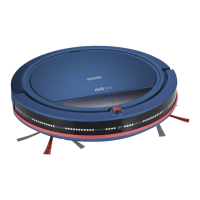
When a fault is shown on the display screen, the robot emits 3 sound signals, one after the other.
Fault code Possible cause / solution
E 1 Wheels or robot stuck
Switch off the robot. Free the robot from obstructions. Switch the robot back on.
E 2 Cover or dust bin not installed correctly.
Insert the cover and dust bin correctly.page 74, „Inserting the dust bin“
E 3 The bumper is stuck.
Free the robot from obstructions
E 4 The robot has been lifted for longer than 1 second.
Place robot on the floor.
E 5 Floor too dark.
Set the drop sensors correctly. page 55, „Setting the drop sensors“
E 6 Charging error. The robot has been switched off or the rechargeable battery
pack has not been installed correctly.
Insert the rechargeable battery correctly. page 56, „Inserting the rechargea-
ble battery pack“
Switch on the robot.
Problem Possible cause / solution
The robot can-
not be
switched on.
The rechargeable battery has not been inserted correctly.
Insert the rechargeable battery correctly. page 55, „Preparing the robot“.
Rechargeable battery is completely discharged.
Switch on the appliance (position "I") and charge the rechargeable battery.
page 57, „Charging the robot“.
The remote
control does
not function
The remote control rechargeable battery is completely discharged.
Charge the remote control. page 59, „Charging the remote control“
The robot and/or remote control are in strong light.
Close the curtains and switch off any string light sources.
Robot too near to the charging station.
Position the robot at least 2 metres from the charging station.


 To Next Page