67
8 Cleaning a room
8.5 Controlling the robot using the remote control
TIP: The robot confirms each input with a sound signal. If the
setting is not plausible, 2 sounds signals can be heard.
Setting the cleaning pattern
1. Point the remote control at the robot.
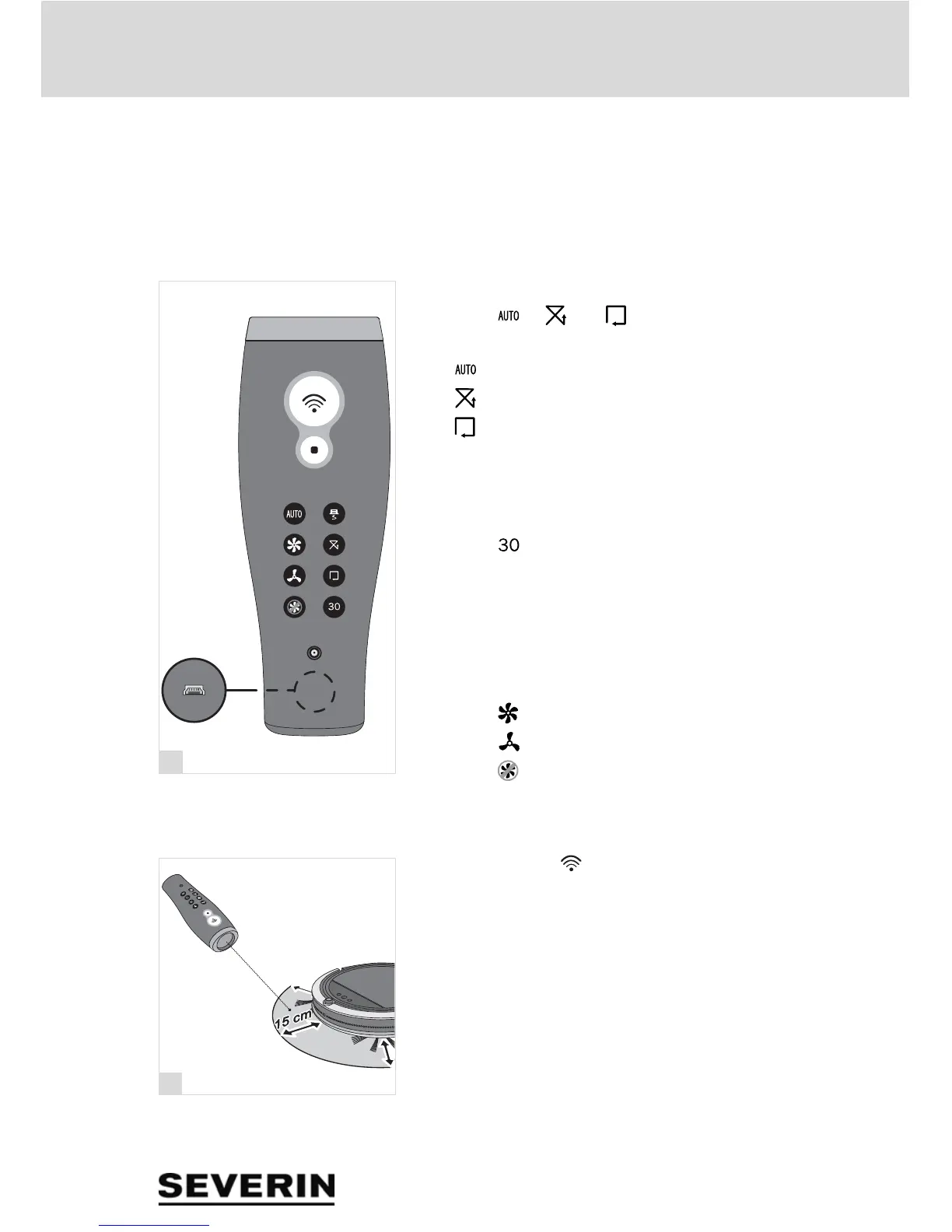
2. Press " ", " " or " " to set the desired cleaning
pattern.
– " ": Automatic
– " ": Random
– " ": Follow the wall
Setting the cleaning duration
1. Point the remote control at the robot.
2. Press " " to set the cleaning duration to 30 minutes
with a subsequent return to the charging station.
TIP: A setting for a longer cleaning duration has to be made
on the robot.
Setting the suction power
1. Press " " to set a high suction power
2. Press " " to set a low suction power
3. Press " " o shut off the fan.
Intensive cleaning
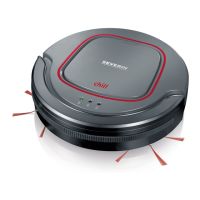
1. Press and hold " ".
2. Point the red dot of light at the spot in front of the robot
which is to be cleaned (fig. 22).
TIP: The spot for intensive cleaning must not be more than
15 cm away from the robot when pointing at it.


 To Next Page