66
8Cleaning a room
3. Set the duration of cleaning and the return to the charg-
ing station after cleaning.
chapter „Setting the cleaning duration“, page 65
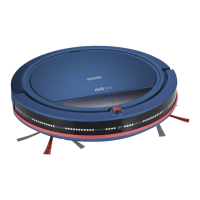
4. Wait 3 seconds until the robot begins cleaning.
TIP: After cleaning the robot emits a sound signal and stops,
or returns to the charging station, depending on the setting.
Stopping the robot
– Press and hold the Power LED " " for half a second
to stop the robot.
– Pick up the robot. Cleaning is stopped after 1 second.
– Switch off the robot at the On/Off switch.
TIP: Three minutes after the robot stops or has been
stopped, it switches to sleep mode. (Power LED " " is off).
Press any key on the robot or remote control to activate the
robot again.


 To Next Page