71
10 Cleaning and care
10 Cleaning and care
10.1 Emptying the dust bin
Empty the dust bin when the suction power drops or the
" " LED lights up.
1. Make sure that the appliance is switched off and the
mains adapter is not connected.
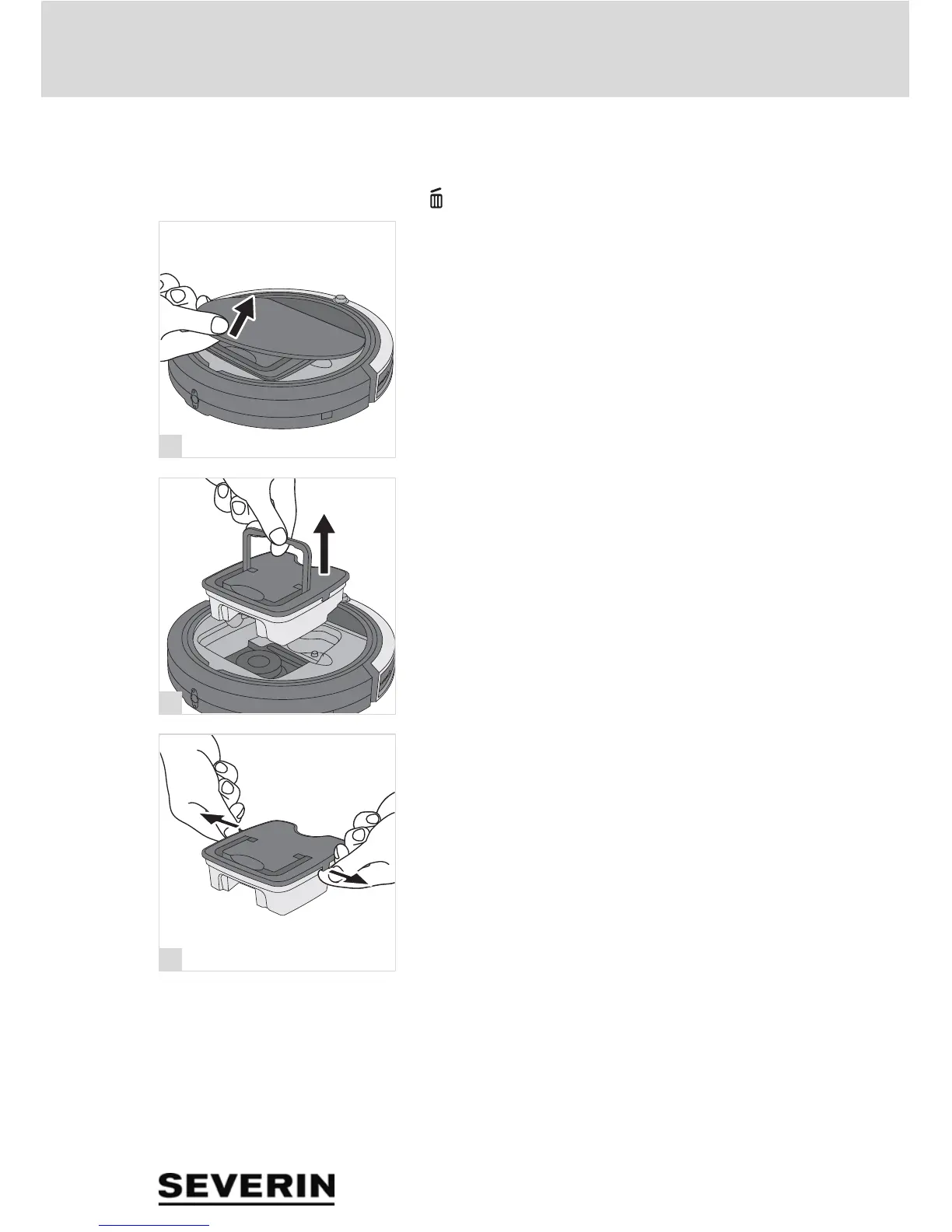
2. Remove the cover (fig. 24).
3. Use the handle to lift the dust container out of the appli-
ance (fig. 25).
4. Pull the tabs on the dust bin cover outwards (fig. 26).
5. Remove the dust bin cover.


 To Next Page