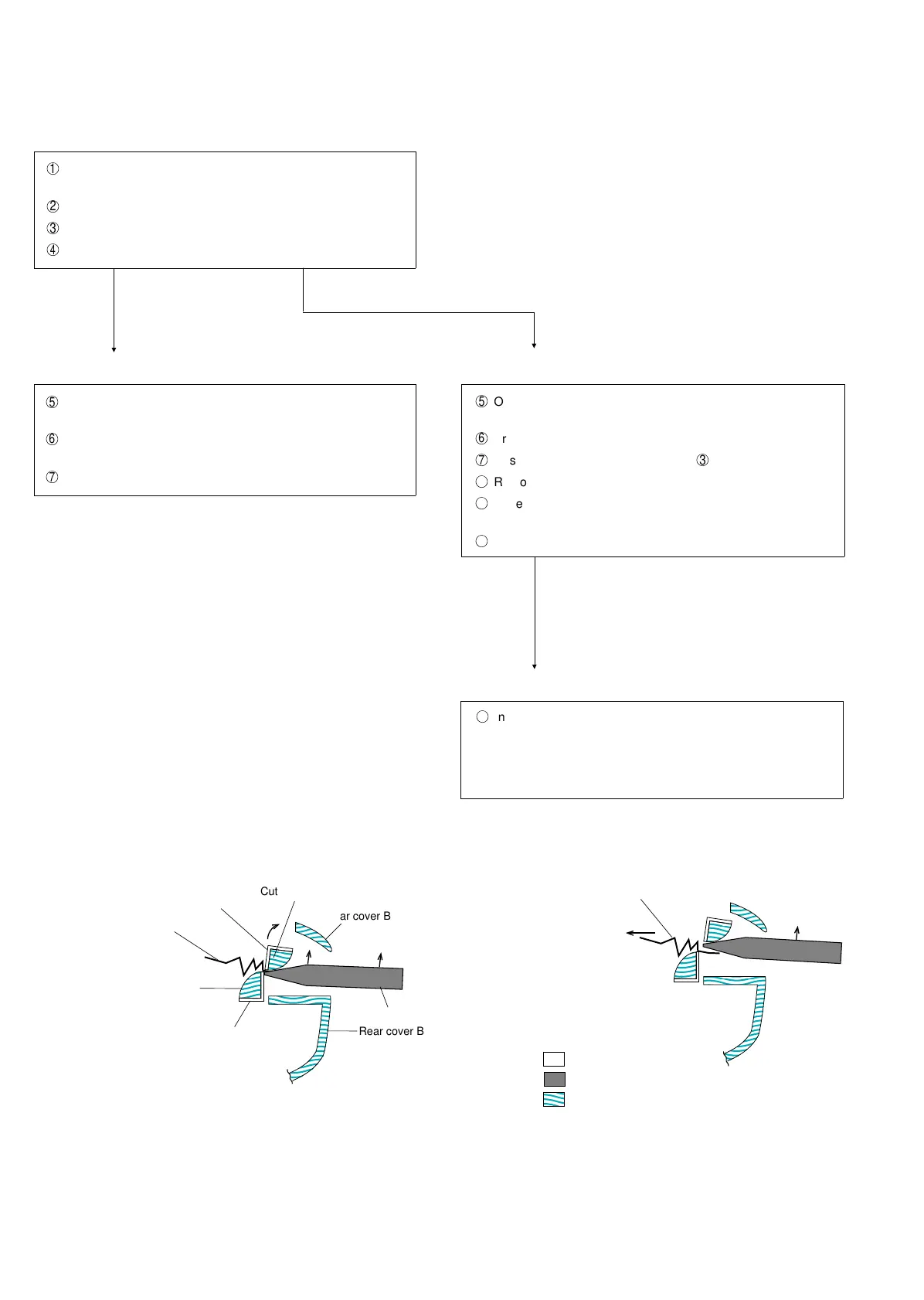
Jamming releasing method
The method to release the cutter-provided mode) is explained.
1
During ordinary operation, cutting becomes impossible be-
cause of plural sheet feed or similar.
2
After the error sound, "CUTTER RESETTING" is displayed.
3
Try automatic cutting.
4
"PAPER JAM" is displayed whether cutting is possible or not.
Cutting is possible.
5
Open the cover of the recording paper, and remove the
jammed, chipped or similar paper.
6
Reset the recording paper, and close the cover of the record-
ing paper.
7
It stands by.
Cutting is impossible.
5
Open the cover of the recording paper, and remove the
jammed, chipped or similar paper.
6
Press the start or stop key.
7
Reset the machine (Same as in Item
3
.)
8
Remove the chipped paper.
9
Reset the recording paper, and close the cover of the record-
ing paper.
F
It stands by.
Cutting is impossible even after jamming is released.
G
Insert the wooden rod or similar (example: pencil) through
the paper discharge port, move the moving blade upward
and remove the jammed paper.
Note: Don’t insert any metallic rod.
(See the appended drawing.)
Rear cover B
Rear cover B
Cutter guide (upper)
Jammed paper
Recording paper guide (lower)
Fixed blade of cutter
Pencil or similar wooden rod
(Paper is jammed)
Remove the jammed paper.
(Jamming is released.)
Sheet metal
Resin
Wooden
Moving blade of cutter
Fig. 9 Fig. 10
UX-177H
3 – 4



 To Next Page