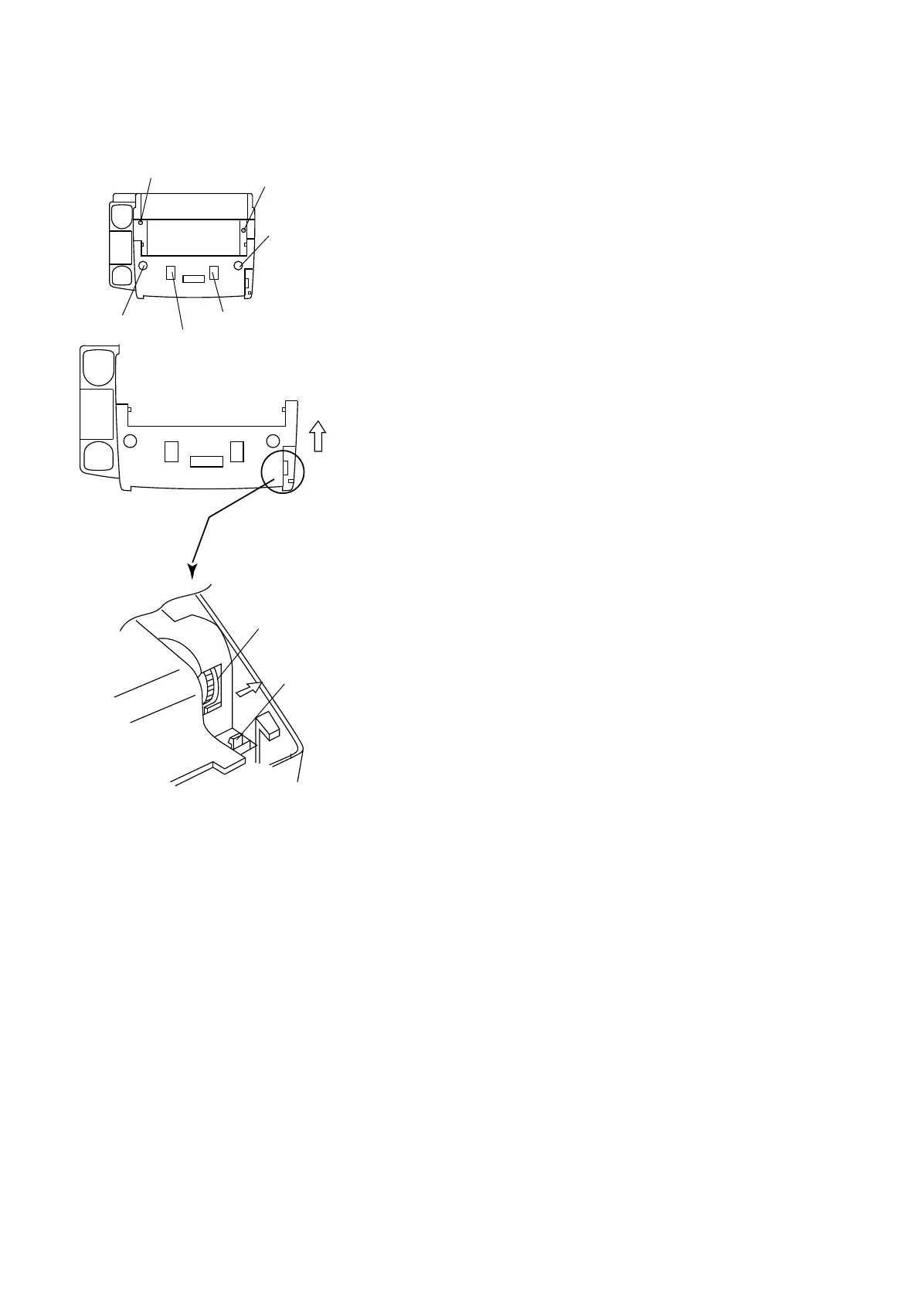
How to remove document Guide lower
(1) You remove four screws.
(2) You remove hook lever 1, You use a screwdriver and push black
plate of mechanical drive unit with direction of arrow.
And you lift document guide lower.
(3) You remove hook lever 2 and hook lever 3, and you remove
document guide lower.
SCREW 1
SCREW 4
Black plate of mechanical drive unit
HOOK LEVER 1
SCREW 2
SCREW 3
HOOK LEVER 2
HOOK LEVER 3
Fig. 11
UX-177H
3 – 5



 To Next Page