EasyManua.ls Logo

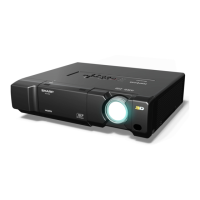
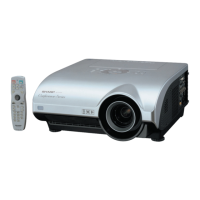
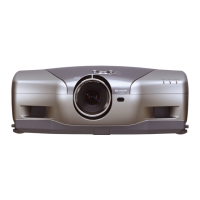
Sharp XV-Z12000 - User Manual

Sharp XV-Z12000
98 pages
Print Icon
To Next Page IconTo Next Page
Loading...
SHARP CORPORATION
Printed in Japan
Imprimé au Japon
Impreso en Japón
Impresso no Japão
TINS-A970WJZZ
1
XV-Z12000
OPERATION MANUAL
MODE D’EMPLOI
MANUAL DE OPERACION
MANUAL DE OPERAÇÃO
XV
-
Z12000
PROJECTOR
PROJECTEUR
PROYECTOR
PROJETOR
ENGLISH ............. -1 – -96
FRANÇAIS ........... -1 – -95
ESPAÑOL ............ -1 – -94
PORTUGUÊS ...... -1 – -94
Printed on 100% post-consumer recycled paper.
Imprimé sur 100% de papier recyclé.
Impreso en 100% de papel reciclado de postconsumo.
Papel 100% Reciclado - Cuidado do Meio Ambiente.
XV_Z12000_E_US_Hyo1_4.p65 03.11.25, 5:21 PM1

Table of Contents

Other manuals for Sharp XV-Z12000

Questions and Answers

  • M
    mario45Aug 11, 2025
    Why is my Sharp Projector showing no picture and no sound, or not starting?
    • C
      campbellchristopherAug 11, 2025
      If your Sharp Projector shows no picture and produces no sound, and doesn't start, several factors could be at play. Ensure the projector's power cord is securely plugged into the wall outlet and that any external connected devices are powered on. Verify that the correct input mode is selected and that all cables are properly connected to the rear panel. Also, check the remote control batteries and confirm that external output is correctly configured if you're using a notebook computer. Finally, make sure the lamp unit cover is correctly installed, the correct signal type is selected, the video signal format of your video equipment is properly set, and the brightness isn't at its minimum.
  • D
    Danielle MillerAug 16, 2025
    Why is the picture too bright and whitish on my Sharp Projector?
    • G
      goodwinjosephAug 16, 2025
      If your Sharp Projector displays a picture that is too bright and whitish, the picture adjustments may be incorrectly set. Adjust the picture settings to resolve this issue.
  • K
    Kimberly KennedyAug 22, 2025
    Why is the color faded or poor on my Sharp Projector?
    • B
      Brandon CervantesAug 22, 2025
      If the color on your Sharp Projector appears faded or poor, it could be due to incorrectly set picture adjustments, a wrongly configured video input system (Video Input only), or an incorrectly set input signal type. Check these settings to improve the color quality.
  • J
    John Thomas Jr.Aug 28, 2025
    How to fix a blurred picture or noise on Sharp Projector?
    • C
      Catherine DavilaAug 28, 2025
      If your Sharp Projector's picture is blurred or shows noise, try adjusting the focus. Also, ensure that the projection distance is within the focus range. If you are using computer input, perform “Fine Sync” Adjustments (“Clock” Adjustment) and “Fine Sync” Adjustments (“Phase” Adjustment). Note that noise may appear depending on the computer. Additionally, check if the “DNR” (Digital Noise Reduction) setting is correct.
  • K
    Kimberly JonesSep 4, 2025
    What to do if a response code cannot be received when controlling Sharp Projector using RS-232C commands?
    • B
      Brittany Brown MDSep 4, 2025
      When controlling your Sharp Projector using RS-232C commands from a computer during standby, allow a maximum of 30 seconds for the computer to receive the response code. Ensure the response code waiting time of the computer is set to 30 seconds or more.

Sharp XV-Z12000 Specifications

General IconGeneral
Display TechnologyDLP
Native Resolution1920x1080
Lamp Life2000 hours
Projection Size40 - 300 in
Input PortsHDMI, Component, Composite, S-Video, DVI
Brightness1200 ANSI lumens

Related product manuals