102
77 ApplicationsApplications
Measuring the Specific Gravity of Solids
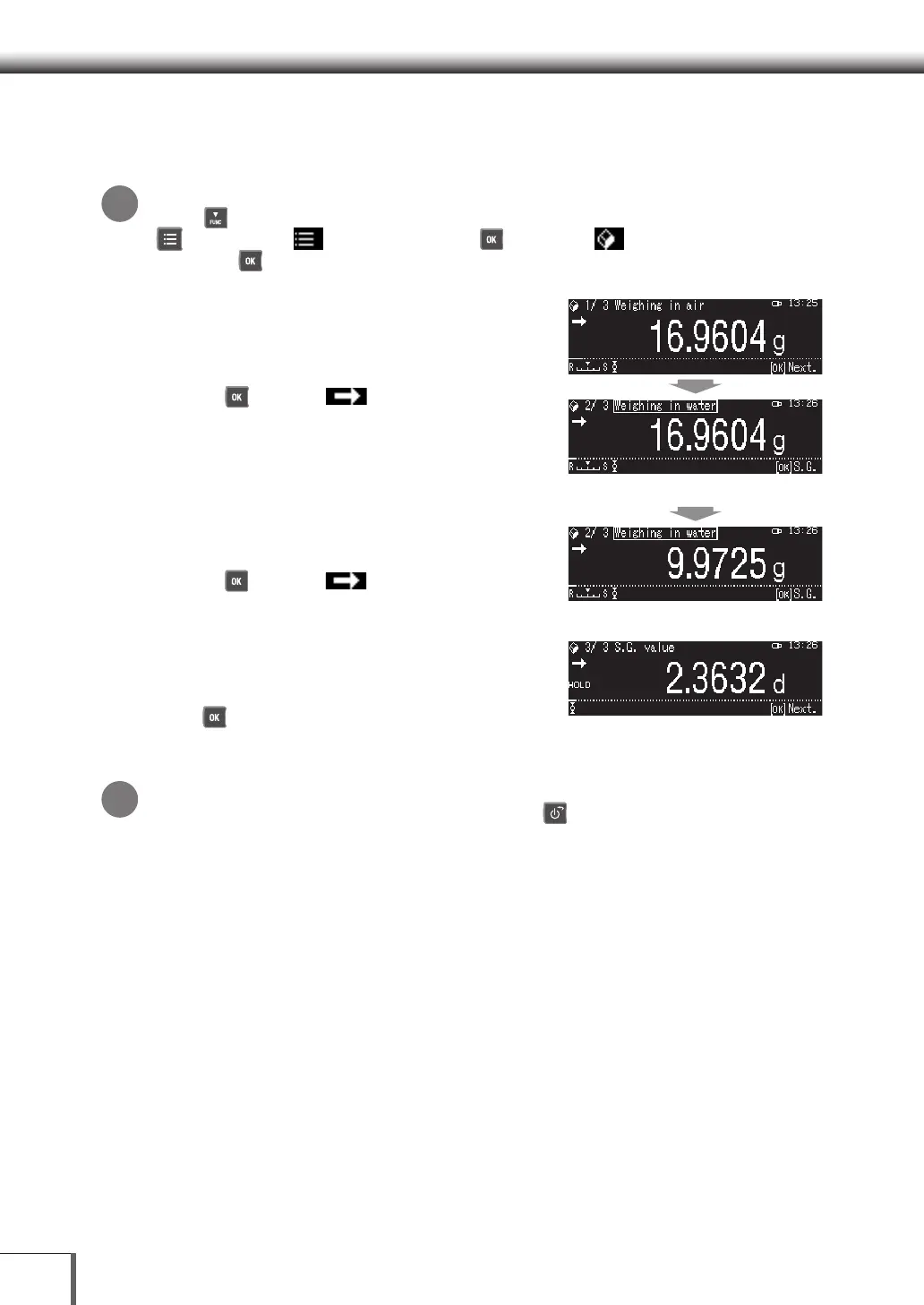
1. Set the Solid specic gravity mode
Returning to the Standard measurement Mode
Press [ DOWN]. If the balance still does not return to the Solid specific gravity mode, press [
MENU], select [
Select Mode], press [ OK], Select [
Solid specific gravity], and
then press [ OK].
2. Measure the sample in air
(1) Perform taring and place the sample in air on the
pan.
(2) Weigh the sample.
(3) Press [ OK] when (Stability Mark) has
been displayed.
3. Measure the sample in water
(1) Place the sample in water on the pan and then take
the measurement.
(2) Press [ OK] when (Stability Mark) has
been displayed.
4. Reading solid specic gravity values
Read the calculated solid specific gravity value.
The results of the specific gravity value will be output
when [ OK] is pressed, and the screen will return
to Step 2. [1/3 Specific Gravity Measurement in Air].
The data will also be saved (updated).
To return to the previous step...
It is possible to return to the previous step by pressing [ POWER].
*
*










 To Next Page