82
66 SettingsSettings
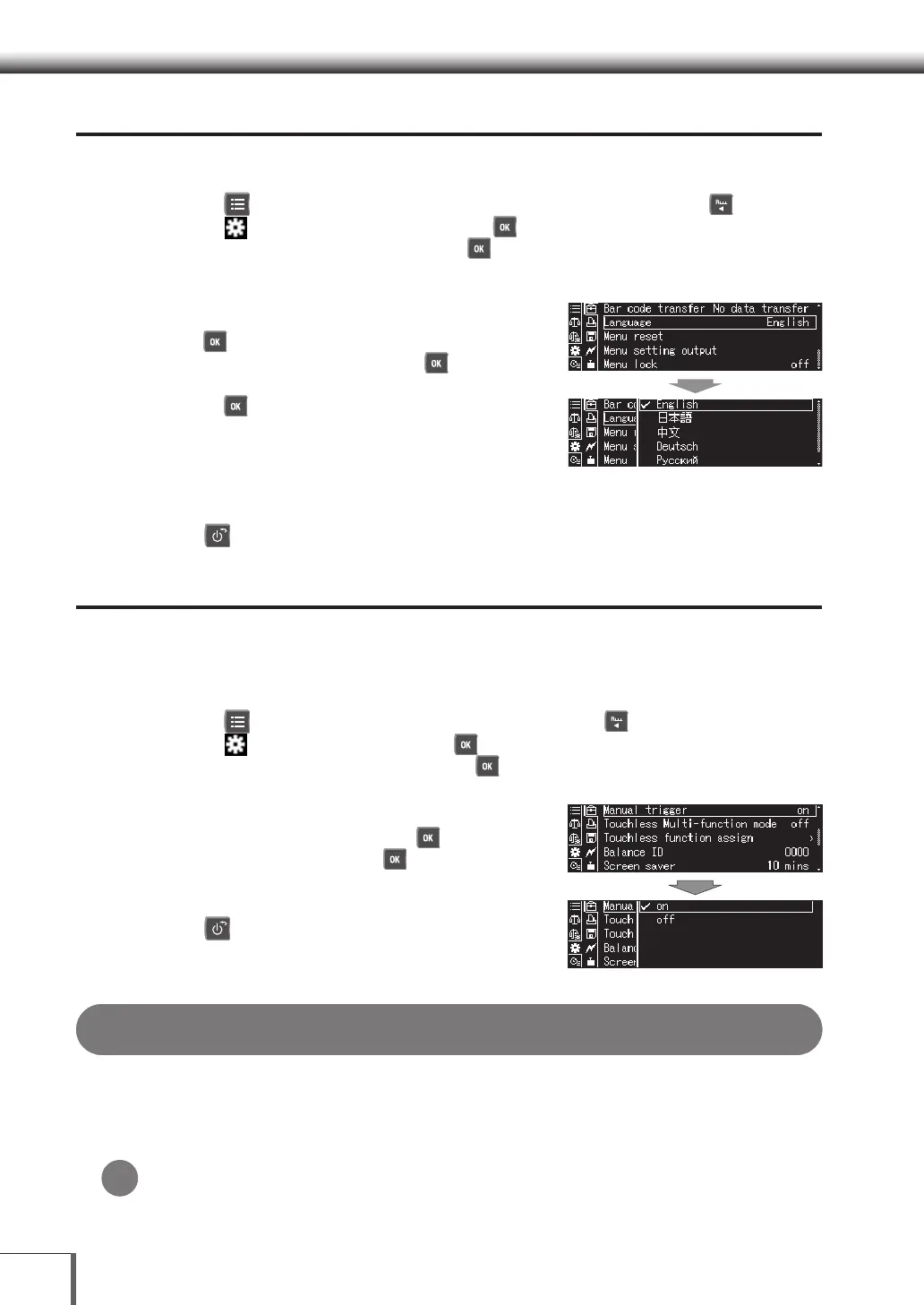
Language Settings
1. Call out the System settings
(1) Press [ MENU] while in the weight measurement mode, and then press [ LEFT].
(2) Select [
System settings], and then press [ OK].
(3) Select [System settings], and then press [ OK].
2. Setting the language
Select one of the displayed languages, and then
press [ OK].
(1) Select [Language], and then press [ OK].
(2) Select one of the displayed languages, and then
press [ OK].
* The displayed languages are subject to change
without notice.
3. Return to the weight measurement mode
Press [ POWER].
Manual trigger (manual start) conguration (W-AD Series only)
Switch the manual trigger (manual start) ON/OFF. Refer to “Manual trigger (manual start) operation
functions” for manual trigger (manual start) usage methods.
1. Opening the environmental settings
(1) Press [
MENU] on the weight display screen, then press [ LEFT].
(2) Select [
System settings] and press [
OK].
(3) Select [Environmental settings] and press [
OK].
2. Select [Manual trigger] and press [OK].
(1) Select [Manual trigger] and press [
OK].
(2) Select [on] or [off] and press [
OK].
3. Return to weight display screen.
Press [ POWER].
Touchless sensor conguration methods (W-AD Series only)
This section explains the how to switch touchless sensor usage operation methods and how to assign
functions to each touchless sensor. After configuring the touchless sensor operation methods, assign
functions to the configured operation methods. The functions which can be assigned to the touchless
sensors are shown in the ^[Table 1. Functions which can be assigned to the touchless sensors] (P.83).
If not using the touchless sensors
The touchless sensors can be configured to do nothing even if a hand is swiped over the
sensors, by not assigning any key functions to the touchless sensors. The LEDs will still light up
even if no key function is assigned.
*










 To Next Page