116
77 ApplicationsApplications
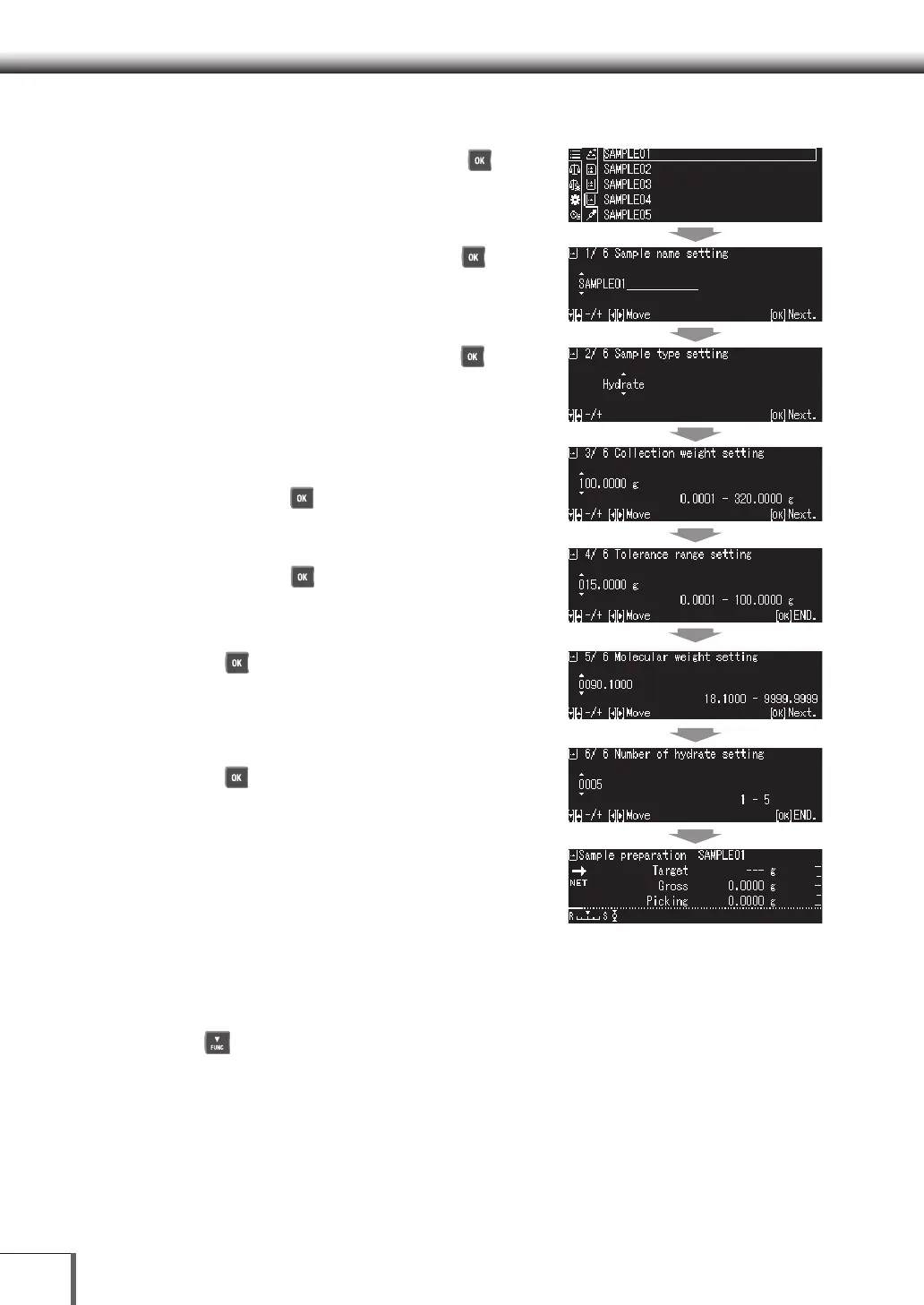
2. Measure the Sample
(1) Select the sample name, and then press [ OK].
(2) Enter the sample name, and then press [ OK].
(3) Select the sample type, and then press [ OK].
The sample types available are as follows:
[Hydrate], [Purity], [Molecular], [Salt]
(4) Confirm and enter the sample collection weight
(required weight including during measurement),
and then press [ OK].
(5) Enter the tolerance range for the collection weight,
and then press [ OK].
(6) Press [ OK] for the molecular weight of the
sample (compound).
(7) Enter the weight of the selected sample, and then
press [ OK]. (Screen shows hydrate weight.)
(8) The values for Sample preparation will be
displayed.
Target Value: Total weight for acquiring the
standard weight of the required property.
Gross Weight: Measurement weight.
Picking Weight: Required property weight included during measurement.
3. Return to the weight display
Press [ DOWN].










 To Next Page